A kindle fire can be a genuinely useful tablet, but it is not the universal bargain that Amazon’s product pages suggest. I spent eight years selling tablets in a big-box electronics department and have processed more returns than most reviewers have published reviews. The pattern was consistent: people liked the low price, then returned the tablet because the software felt limited, storage filled quickly, or the screen was less impressive than expected. I've seen what comes back.
The real appeal of a kindle fire
The strongest argument is simple: you can often buy a functional kindle fire for roughly $60 to $200, depending on the model, storage, and sale price. That is far less than an iPad, Samsung Galaxy Tab, or Microsoft Surface. For reading, streaming, light browsing, music, and casual games, the hardware usually does enough.
Amazon also makes setup easy for households already using Prime Video, Audible, Kindle books, Amazon Photos, or Alexa. A parent can create a child profile, set screen limits, approve downloads, and manage content from a phone. Those controls are more approachable than the family settings on many inexpensive Android tablets.
The compromise is that Fire OS is built around Amazon services. You are not getting the same Google Play experience found on a standard Android tablet. Some popular apps are available through Amazon’s store, but app selection and update timing can be uneven. That matters more after the novelty wears off.
Which model makes sense?
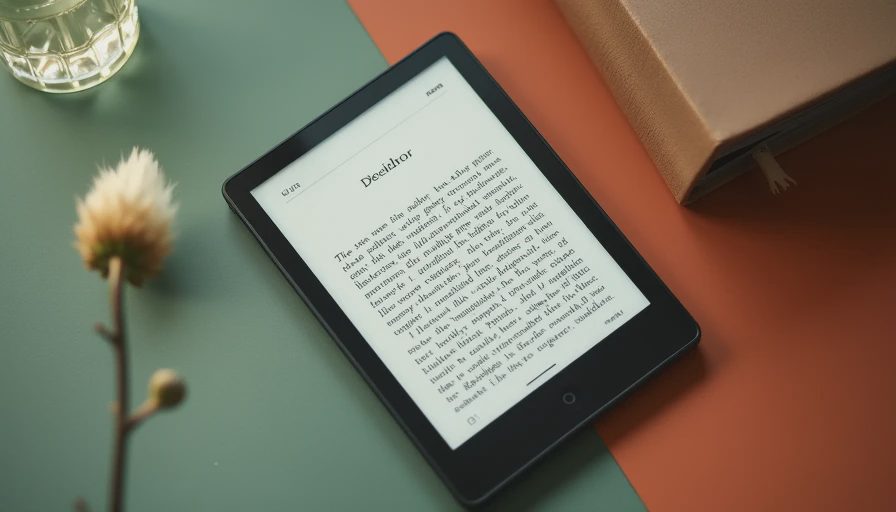
The entry-level kindle fire is best treated as a basic media screen. It works for a child watching downloaded cartoons, a senior reading news, or a traveler wanting something inexpensive in a hotel room. Its processor and display are not designed for demanding games or serious multitasking, and small storage options can become frustrating quickly.
A midrange model is usually the safer purchase. The larger display is easier for split-screen browsing, video calls, recipes, and schoolwork. More memory and storage reduce the pauses that make cheap tablets feel broken. If two people will use the device every day, spending an extra $40 to $80 can prevent the most common return reasons.
The biggest model is a different proposition. A large kindle fire can be comfortable for movies and documents, but it is heavier to hold and less convenient for reading in bed. I have watched shoppers pick the largest screen because it looked impressive on the shelf, then bring it back because it felt like carrying a laptop without the laptop’s flexibility.

Performance: adequate is not the same as fast
Tablet listings often emphasize processor names, memory, and display size without explaining how those parts feel. In daily use, a kindle fire should open streaming apps, load web pages, and handle email without drama. It may still pause when several apps are open, when a large game loads, or when the home screen is crowded with recommendations.
That distinction is important for buyers replacing an older iPad. Even a five-year-old iPad may feel smoother because Apple controls both the hardware and software. A current budget Fire tablet can cost less, but it will not necessarily feel faster. If your expectations are “good enough for Netflix,” the result is usually satisfying. If your expectations are “as responsive as my phone,” disappointment is more likely.
For gaming, stick with puzzle games, card games, simple racing titles, and children’s apps. Large open-world games can expose the limits quickly. The same applies to drawing: basic coloring is fine, but artists needing pressure-sensitive input, low latency, and professional apps should look at an iPad or a compatible Samsung tablet instead.
Ads, storage, and the small costs people miss
Some kindle fire models include lock-screen advertising unless you pay an additional fee to remove it. That charge is not enormous, but it changes the true price. A tablet advertised near $80 can become closer to $100 after adding enough storage, a case, and ad removal. Those extras do not make it a bad deal; they simply make comparison shopping more honest.
Storage deserves similar attention. A 32GB tablet does not provide 32GB for your apps, downloads, photos, and system files. A few streaming downloads, game updates, and children’s videos can consume the available space faster than expected. A model with 64GB or more is usually the comfortable starting point for family use.
Check whether the model supports a microSD card, then budget for a reputable card from SanDisk or Samsung. Expandable storage helps with movies and photos, but it does not solve every app-storage limitation. Do not assume a memory card turns a small-capacity tablet into a premium device.
Is it good for children?
A kindle fire is one of the easier low-cost tablets to hand to a child, especially when paired with a sturdy case and parental controls. Amazon Kids profiles can separate a child’s content from an adult account, and parents can set daily limits. A bright case, screen protector, and a simple charging routine matter more than a fancy processor in this situation.
My family’s test is the Jonah test: a seven-year-old gets a full week with a device before I recommend it to parents. The practical questions are not whether a tablet looks impressive on a desk. They are whether a child can find approved content, whether the case survives drops, and whether an adult can fix a download problem without searching forums for an hour.
For a preschooler, a cheaper model makes sense because replacement risk is real. For an older student, confirm that required school apps work before buying. Google Classroom, Microsoft 365, Zoom, and browser-based assignments can vary in quality on Fire OS. A tablet that handles cartoons perfectly may still be the wrong school device.
When another tablet is the smarter buy
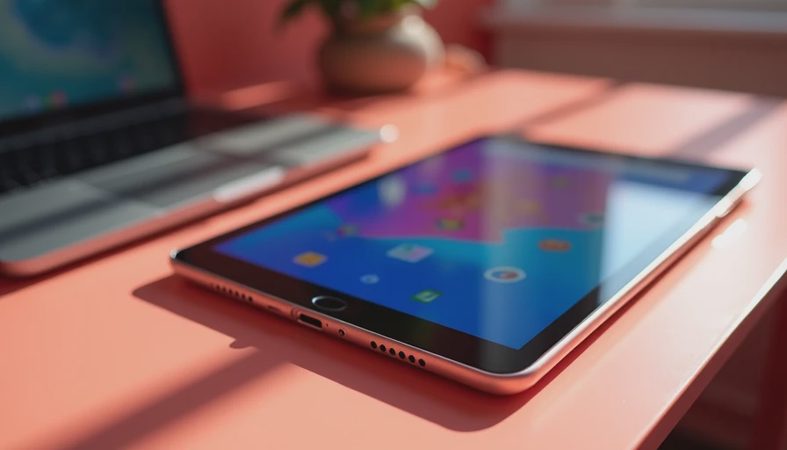
Choose an iPad if you want long software support, a broad app catalog, reliable accessories, and strong performance for creative work. The entry price is higher, often by several hundred dollars, but an iPad tends to remain useful longer. It is also the safer choice for college students who need specialized apps or frequent video calls.
Choose a Samsung Galaxy Tab if you want Android and Google Play without the restrictions of Fire OS. Samsung’s inexpensive A-series tablets are often better fits for users who live in Gmail, Google Drive, Maps, and YouTube. They can cost more than a kindle fire, but the familiar app environment avoids many workarounds.
Choose a Chromebook if the main job is school documents, web research, and typing. A small Chromebook with a keyboard can be more productive than any budget tablet. It is not as comfortable for reading on a couch, but it handles browser tabs and document editing far better.
My buying checklist before you pay
Start by writing down the three tasks that matter most. If they are video, reading, and children’s games, the basic option may be enough. If they include video editing, drawing, college software, or daily multitasking, move up or choose another platform.
Next, calculate the complete price: tablet, case, screen protector, storage card, keyboard, and possible ad removal. Compare that number with a sale-priced Samsung tablet or refurbished iPad. A $120 kindle fire is attractive; a $220 setup that still cannot run your preferred apps deserves a second look.
Finally, test the device during the return period. Install every essential app, download a movie, join a video call, connect Bluetooth headphones, and leave enough storage for normal use. Do not wait until the first school project or flight to discover a limitation.
Bottom line
The kindle fire is a good low-cost media and family tablet when you understand its boundaries. It saves money on streaming, reading, and simple entertainment, especially during frequent Amazon discounts. It is less convincing as a primary productivity tablet or a long-term replacement for an iPad.
Buy the version with comfortable storage, include the case in your budget, and verify the apps you actually use. If those steps line up with your needs, the savings are real. If they do not, paying more for Samsung, Apple, or a Chromebook is cheaper than returning the wrong tablet after two frustrating weeks.



No comments yet — be the first to share a thought.