
Android tablet support sounds reassuring on a product page, but the phrase can mean anything from a useful software update to a chatbot that sends you in circles. After eight years selling tablets and processing the returns, I learned that android tablet support is often the difference between enjoying a device and abandoning it in a drawer. I've seen what comes back.
The good news is that most tablet problems are fixable. The less pleasant news is that the quality of help depends heavily on the brand, the tablet's age, and whether you bought a current model or a clearance special. Here is how the major manufacturers compare, what support should include, and how to solve common problems before paying for service.
What android tablet support should include
Real support has several layers. The first is setup help: connecting Wi-Fi, signing into a Google account, transferring photos, and installing essential apps. The second is troubleshooting for issues such as battery drain, frozen screens, Bluetooth failures, slow performance, and charging problems. The third is warranty assistance when the hardware itself is defective.
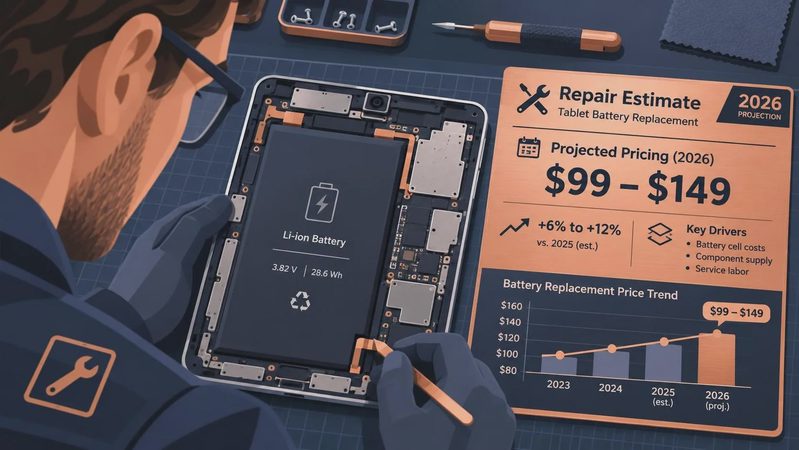
A good support experience gives you clear instructions, current software tools, and a realistic path to repair or replacement. It should also explain what is not covered. Accidental screen damage, liquid exposure, and worn batteries are commonly treated differently from a factory defect.
Brand documentation matters more than many shoppers expect. Samsung generally provides extensive online guides and device-specific help. Lenovo's documentation is usually straightforward for current models, while Amazon's Fire tablet support is often easy to access through the device itself. Google support is useful for Android account and app problems, but Google may direct hardware questions back to the tablet maker.
The cheapest tablet is not always the cheapest ownership experience. Saving $50 at checkout can feel less impressive after an hour of searching for a driver or waiting on a replacement part.
Samsung, Lenovo, Amazon, or Google?
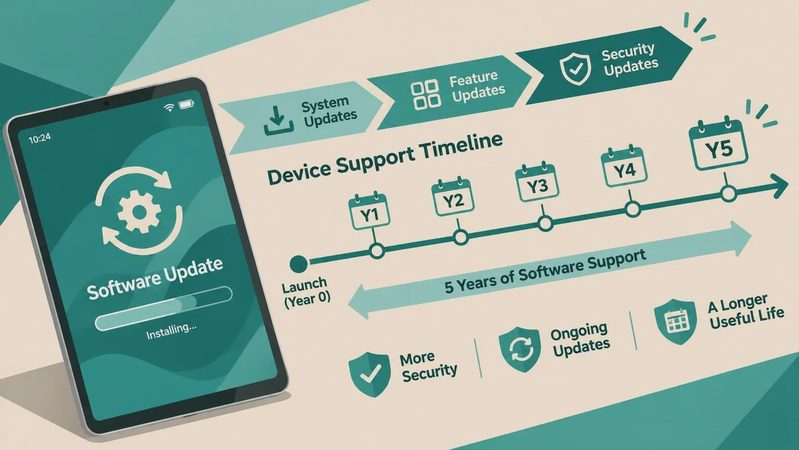
Samsung is usually the safest choice for buyers who want polished android tablet support. Galaxy Tab models have broad online documentation, a large user community, and service options that are easier to identify than those for obscure brands. Samsung also tends to offer clearer information about updates on newer devices. That does not make every repair fast or inexpensive, but it reduces the guesswork.
Amazon's Fire tablets are simple for basic reading, streaming, and children’s use. Support is convenient because help is tied closely to your Amazon account. The tradeoff is that Fire OS is not the same as standard Android, and some Google Play apps are missing or require workarounds. If an app is central to your plans, confirm compatibility before buying. I have seen plenty of returns caused by a customer assuming every Android app would work like it does on a Galaxy Tab.
Lenovo offers attractive prices and useful screen sizes, but the support experience can be less consistent across model families. Save the exact model number and serial number when you buy one. Those details matter when a support page lists several nearly identical tablets.
Google Pixel Tablet support is strongest for Android software, Google services, and account issues. It is a more focused hardware lineup, which can make instructions easier to follow. Still, a manufacturer warranty does not cover every accident, so do not confuse responsive support with free repair for a cracked screen.
The problems that send tablets back
The most common return reasons are not dramatic hardware failures. They are disappointing speed, confusing app compatibility, weak battery life, difficult setup, and a screen that feels too dim or reflective. Support can help with some of these, but it cannot turn an entry-level processor into a premium one.
Before requesting a return, restart the tablet and install pending system updates. Then check available storage. A tablet with only a few gigabytes remaining can feel painfully slow, especially when photos, offline videos, and app caches pile up. Remove unused games, download files, and duplicate videos before assuming the device is defective.
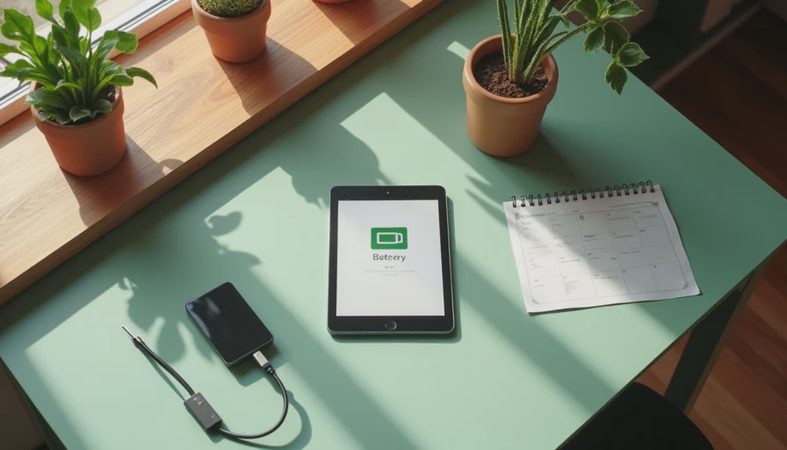
For battery complaints, lower screen brightness, disable constant location access for apps that do not need it, and check which applications are running in the background. A new tablet may also use extra power during the first day while it indexes files and completes updates. If it still loses a large percentage of its charge overnight after several days, document the behavior with dates and screenshots.
When Wi-Fi fails, forget the network, restart the tablet and router, and reconnect. If other devices work normally but the tablet does not, reset network settings. That step removes saved Wi-Fi passwords, so have them ready first. Good android tablet support should explain this order rather than jumping immediately to a full factory reset.
How to get useful help faster
Support agents work more efficiently when you arrive prepared. Write down the model name, model number, Android or Fire OS version, purchase date, and a short description of the problem. Include what changed before the problem began. For example, saying that Bluetooth stopped working after a system update is more useful than saying the tablet is broken.
Take photos of physical damage and screenshots of error messages. Keep your receipt, order confirmation, and packaging until you are confident the tablet works for your needs. If you bought from a major retailer, the store's return window may be much shorter than the manufacturer's warranty period. Those are separate protections, and waiting for a repair process can cost you the easier return option.
Use official support pages before random download sites. A search result promising a special driver or unlocking tool can create malware and privacy problems. For a normal Android tablet, you should rarely need a third-party utility to perform basic setup or troubleshooting.
When support cannot fix the buying mistake
Some problems are really fit problems. A seven-inch tablet can be portable but cramped for split-screen work. A large 12-inch model can be excellent for drawing and uncomfortable to hold in bed. A low-cost tablet may run Netflix and Kindle smoothly yet struggle with demanding games or heavy multitasking.
I recommend testing the exact tasks you care about during the return period. Open your usual browser tabs, pair your headphones, download a movie, try your preferred note-taking app, and type a full paragraph. Parents should test parental controls and video calls. Students should check whether the school platform works correctly. Artists should test pen response, palm rejection, and the available drawing apps.
This is where android tablet support has limits. No help article can add missing storage, replace a poor speaker, or make an incompatible app appear. Read the return policy before opening the box, and use the first week as a practical audition rather than a time to admire the specifications.
My practical support checklist
Start by identifying the exact tablet, not just the brand. A company can sell several models with different processors, update schedules, ports, and warranty terms. Search the model number on the manufacturer's support page and save the correct manual.
Next, update the operating system, Google Play system, and installed apps. Restart afterward. Confirm that charging works with the included cable and with a known-good compatible charger. Test Wi-Fi in more than one room, Bluetooth with headphones, the camera, microphone, speakers, and every important app.
If something fails, record the date and the steps that reproduce it. Contact the manufacturer while the retailer return window is still open. Ask whether the proposed solution is a reset, repair, replacement, or paid service. Clear android tablet support usually gives you that distinction before you ship anything away.
For most shoppers, Samsung is the easiest all-around recommendation when dependable help matters. Amazon works well for basic Fire tablet use, Lenovo can be a strong value when the model fits your needs, and Google is appealing when clean Android software is the priority. Buy based on the experience you need after the sale, not only the number printed beside the price.
No comments yet — be the first to share a thought.