
If you want a tablet that lasts, stop shopping by the biggest screen, fastest processor, or most impressive camera count. After eight years selling tablets and processing the returns afterward, I learned that buyers rarely bring something back because a benchmark score was low. They return it because it became slow, cramped, awkward, or expensive to keep useful. I've seen what comes back.
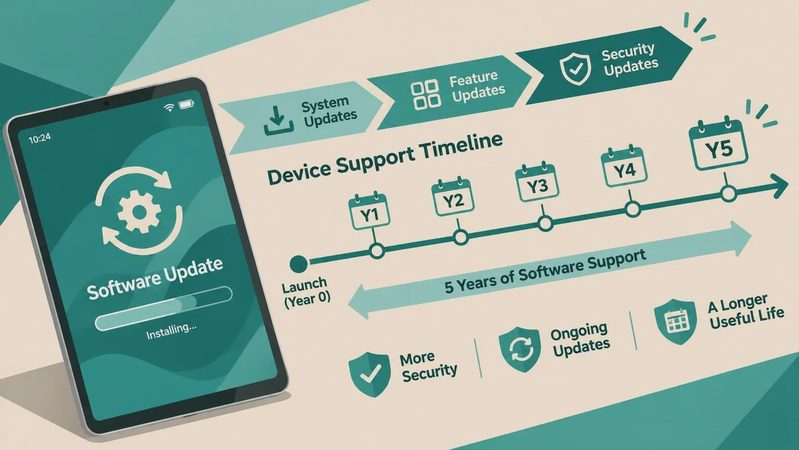
My approach is simple: judge a tablet by what it feels like after the novelty wears off. Can it still open the apps you use every day? Will the battery survive a school day or a flight? Does the software receive updates long enough to justify the price? Those questions tell you much more than a flashy product page.
What makes a tablet that lasts?
The first ingredient is enough performance headroom. A budget tablet with barely adequate memory can feel fine in a store demo and frustrating six months later. Apps grow, operating systems add features, and browsers keep more tabs active. For most buyers, 4GB of RAM is the minimum I would consider, while 6GB or 8GB gives a family tablet much more breathing room. Storage matters too. A 64GB model can disappear quickly once updates, photos, downloaded shows, and children’s games pile up.
Processor branding is less important than overall balance. An iPad with a several-generation-old A-series chip can remain pleasant for years because Apple supports its hardware consistently. Samsung’s midrange Galaxy Tab models often offer a better Android experience than the cheapest alternatives, especially when the screen, speakers, and software support are considered together. Amazon Fire tablets can be good for reading, streaming, and basic children’s use, but I would not buy one expecting laptop-like multitasking.
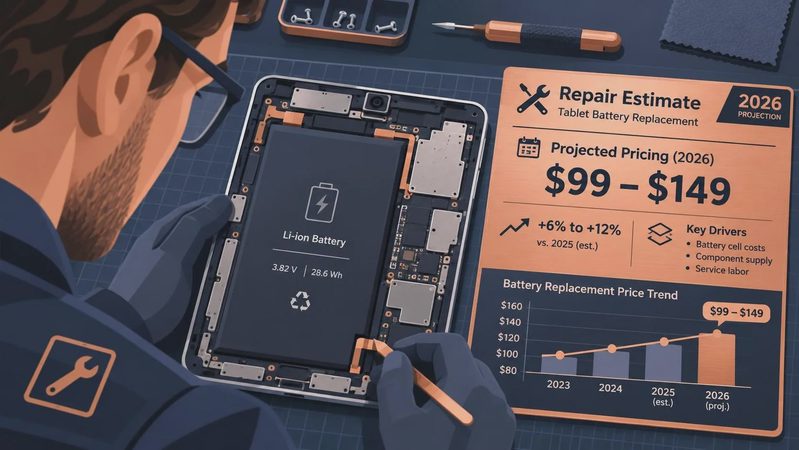
Durability is not just about surviving a drop. A tablet that lasts also needs a case that fits properly, a charging port that is easy to use, and a battery that does not make you hunt for an outlet every afternoon. Spend $20 to $60 on a decent case before handing the device to a child. That is cheaper than replacing a cracked display.
Choose the operating system before the model
A tablet that lasts usually fits the devices and services already in your home. If your household uses iPhones, AirPods, iCloud Photos, and a MacBook, an iPad reduces friction. Messages, photos, passwords, and files behave more predictably, and family members are less likely to need help with basic tasks. The entry-level iPad is not always the cheapest tablet, but its long useful life can make the higher purchase price easier to accept.
Android is the more flexible choice for shoppers who want expandable storage, different screen sizes, file access, or tighter integration with Google services. Samsung’s Galaxy Tab S series is particularly strong for note-taking and media, while Lenovo models can make sense when the price is heavily discounted. Be cautious with unfamiliar Android brands offering huge specifications at $100. The hardware may look impressive, but software updates, warranty support, and app compatibility are where the savings often show up.
Amazon’s Fire tablets remain useful in specific homes. They are simple for Prime Video, Kindle books, music, and parental controls. They are less satisfying for people who expect the full Google Play experience or want to use demanding productivity apps. A tablet that lasts is not necessarily the most powerful choice; it is the choice whose limitations will not irritate you every week.
Before buying, write down your five most-used tasks. Streaming, email, reading, drawing, video calls, schoolwork, and gaming place different demands on a device. If drawing is central, budget for a compatible stylus and check palm rejection. If video calls matter, look at camera placement and microphone quality rather than megapixels alone.
The battery, screen, and storage test
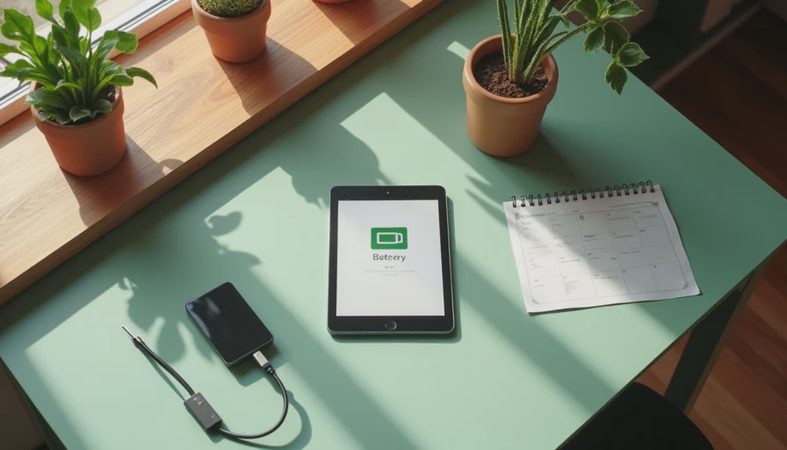
Battery claims are measured under controlled conditions, not during your actual life. Brightness, cellular data, gaming, video calls, and weak Wi-Fi can all reduce runtime. I look for a device that can get through several hours of mixed use without dropping into panic mode. A tablet that lasts should still have useful battery capacity after a few years, not merely impressive performance on day one.
Screen quality affects satisfaction more than many buyers expect. A sharp display with comfortable brightness is valuable for reading, recipes, remote learning, and long flights. OLED screens look excellent for movies, but a good LCD can be the smarter value if durability and price are priorities. Pay attention to glare if the tablet will sit near a window, and do not overlook speaker placement. Kids notice muffled audio faster than they notice a minor difference in processor speed.
Storage is one of the clearest places to spend a little more. I usually steer people toward 128GB when it is available at a reasonable premium. For an iPad, that extra space can be especially important because many models do not offer expandable storage. On Android, a microSD card can help with media and photos, although some apps still need internal storage. Buying a 64GB tablet and constantly deleting content is not the comfortable ownership experience people imagine.
What I would buy for different households
For a student or adult who wants dependable everyday performance, an entry-level iPad is often the safest long-term recommendation. It handles web browsing, streaming, notes, video calls, and most common apps without demanding much troubleshooting. Add a case and, if schoolwork requires handwriting, price the Apple Pencil before deciding that it is a bargain.
For an Android household, a Samsung Galaxy Tab A9+ or a similar midrange model can be a sensible compromise when discounted. It offers a larger screen and familiar Google apps without the cost of Samsung’s premium line. I would choose the version with more storage when the price difference is modest. For drawing, intensive multitasking, or several years of heavy use, move up to a Galaxy Tab S model instead of trying to make an entry-level device do premium work.
For a young child, the best tablet that lasts is usually the one with a thick case, strong parental controls, and a replacement plan you can understand. Amazon Fire Kids models are easy to manage and commonly bundled with kid-focused content, but confirm that the apps your child needs are available. A refurbished iPad can also work well if the battery condition and return policy are clear.
For an older adult, simplicity wins. A bright screen, loud speakers, reliable video calls, and large text matter more than gaming performance. Set up the home screen before giving it away, remove unnecessary apps, and add emergency contacts to the calling app. Good setup can extend the useful life of almost any tablet.
A buying checklist that prevents regret
Start with the total cost, not the advertised tablet price. Include a case, keyboard, stylus, storage upgrade, and any cellular service. Then check the return window and warranty terms. Open the box on day one and test the exact tasks that motivated the purchase: join a video call, download a show, connect headphones, type a long message, and install your essential apps.
Use the tablet in the room where it will live. Test screen glare beside a sunny window. Hold it for ten minutes to see whether the weight becomes tiring. Ask whether a child can grip it safely and whether a senior can read the default text. These small tests reveal more than another hour of watching reviews.
A tablet that lasts should feel comfortably capable, not merely acceptable. If the cheapest model forces compromises every day, the initial savings are false economy. Conversely, paying for a premium processor makes little sense if the device will only display recipes and stream television. Buy enough, protect it immediately, and choose software you will still enjoy using after the return window closes. That is how you find a tablet that lasts instead of another box headed back to the store.
No comments yet — be the first to share a thought.