
If you care about best tablet longevity, do not start with the brightest screen or the biggest number on a product page. Start with a more practical question: will this tablet still feel dependable after the return window closes? I spent eight years selling tablets and processing the ones people brought back. I've seen what comes back. Usually, it is not the tablet with the fewest features. It is the tablet that becomes slow, unsupported, awkward to charge, or too limited for normal family use.
The good news is that buying for long life is fairly straightforward. You need reliable software support, a processor with room to spare, enough storage, a replaceable-looking case ecosystem, and a price that does not force you into a bargain model with serious compromises. The right choice can remain useful for five years or more, while a cheap tablet can feel worn out in eighteen months.
What best tablet longevity actually means
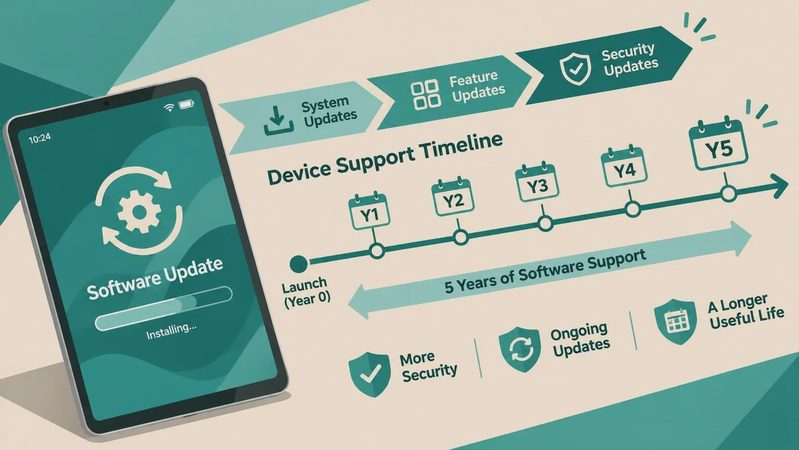
Best tablet longevity is not just a promise that a manufacturer will release updates. A tablet has several kinds of useful life. The first is performance life: how long apps open quickly, websites scroll smoothly, and video calls avoid stuttering. The second is software life: how long the device receives operating system and security updates. The third is physical life, including battery condition, charging-port durability, screen toughness, and accessory availability.
Those categories do not always end together. An older iPad can still run common apps smoothly but have a tired battery. A Samsung Galaxy Tab might have excellent display quality and a strong build but lose software support sooner than a similarly priced iPad. An Amazon Fire tablet can remain fine for streaming and reading, yet feel frustrating if you expect full access to Google apps or demanding games.
I also look at ownership friction. Can you still buy a case for it? Is the charging cable common? Does the tablet have enough storage for photos, downloaded shows, school apps, and system updates? A model that technically works but constantly asks you to delete something is not providing good long-term value.
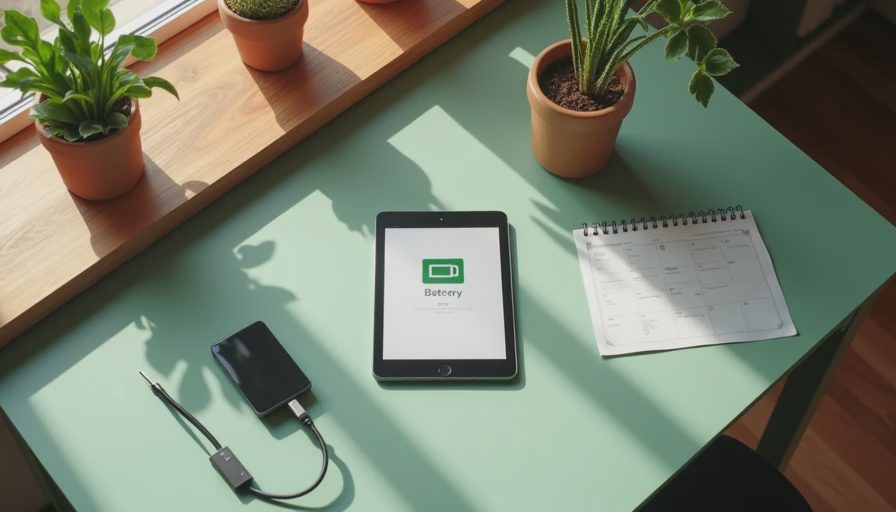
Apple iPad is usually the safest long-term bet
For most shoppers, the best tablet longevity comes from choosing an iPad with a reasonably recent processor rather than the cheapest available iPad. Apple generally supports its tablets for many years, and popular models tend to retain strong app compatibility and accessory support. That does not mean every iPad is a smart purchase. An older model with only 32GB of storage can become a headache even if its software still receives updates.
The standard iPad is often the sensible middle ground for a student, parent, or older adult. It handles web browsing, FaceTime, streaming, note-taking, digital forms, and casual games without demanding the premium price of an iPad Pro. An iPad Air is a better fit if you plan to draw, edit photos, use a keyboard regularly, or keep the device for a particularly long stretch. The extra performance gives you more breathing room as apps become heavier.
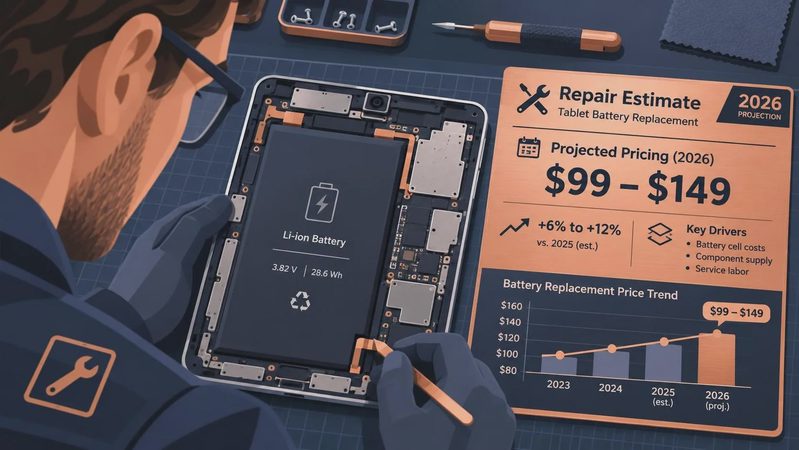
I would rather see someone buy a current-generation standard iPad with 128GB of storage than an older Pro model with a faster screen but a nearly exhausted battery. The Pro may look like the bargain on a clearance shelf, but repair costs and battery wear can erase the savings quickly.
Samsung Galaxy Tab offers the best Android balance
Samsung is my first Android recommendation when best tablet longevity matters. Galaxy Tab S models typically offer strong screens, good speakers, useful multitasking, and more polished accessories than most Android competitors. The company has also improved its update commitments, which makes newer Galaxy tablets more attractive for buyers who want several years of support.
The Galaxy Tab S9 and newer premium models are overkill for someone who only reads, watches Netflix, and checks email. For that buyer, a midrange Galaxy Tab can make more financial sense. Look for at least 128GB of storage and enough memory for your normal apps. A tablet with a sharp AMOLED display is pleasant, but it should not come at the expense of storage or a current processor.
Samsung also gives Android shoppers useful flexibility. You can connect accessories, move files more freely, and use features such as split-screen apps without adopting Apple's ecosystem. The tradeoff is that Android tablet apps can still be less consistently optimized than iPad apps. Before buying, open the Play Store and check the exact apps you need, especially for school, work, or illustration.

Budget tablets: where longevity usually goes wrong
The return counter taught me a predictable lesson: the lowest price is rarely the lowest ownership cost. Amazon Fire tablets are appealing at $60 to $150, and they can be perfectly reasonable for children, kitchen recipes, Kindle reading, and occasional streaming. They become poor choices when buyers expect them to replace a laptop, run specialized apps, or stay fast through years of updates.
The same warning applies to no-name Android tablets sold with huge storage claims and dramatic discounts. Some use old processors, weak charging hardware, low-quality screens, or versions of Android that were already dated when the box was printed. A tablet can advertise 256GB of storage and still feel unpleasant because its memory and processor cannot keep up.
For a child, I would rather buy a modest Fire tablet with a strong case and a clear purpose than hand over an expensive tablet without protection. For an adult who needs dependable video calls and banking apps, I would stretch toward a current iPad or Samsung model. Paying an extra $150 to $300 upfront can avoid an early replacement and the hassle of transferring everything twice.
How to buy for the best tablet longevity
Start by identifying the hardest task the tablet will perform. If that task is video streaming, reading, or email, almost any reputable current model can handle it. If the task includes drawing, gaming, video editing, remote work, or several years of school use, buy more performance than you need today. This is one of the few cases where spending slightly more prevents disappointment later.
Next, choose storage carefully. For light use, 64GB can work, but 128GB is a much more comfortable starting point. Games, offline video, high-resolution photos, and operating system files consume space faster than shoppers expect. Cloud storage helps with documents and photos, but it does not eliminate the need for local room.
Then budget for the protection that preserves physical life. A $25 to $60 case, a screen protector, and a reputable USB-C charger are cheap compared with a cracked display or a damaged port. Keep the tablet away from extreme heat, avoid using questionable charging accessories, and do not leave it buried under blankets while charging.
Finally, check the return policy before opening the box. Spend the first week testing your real routine: typing, reading in bed, joining a call, downloading apps, and using the device at the brightness you actually prefer. A tablet that feels slightly ordinary but performs those jobs comfortably is often a better long-term purchase than a flashy model you stop using.
My practical longevity picks
For most families, a current standard iPad is the simplest recommendation because support, accessories, resale demand, and app quality all work in its favor. For Android users, a recent Samsung Galaxy Tab gives the best blend of screen quality, multitasking, and support. For a child or a low-stakes streaming setup, an Amazon Fire tablet can be sensible when its limitations are understood from the beginning.
The best tablet longevity choice is ultimately the one with enough performance, storage, and support for your specific routine. Do not pay for a professional tablet if you only need YouTube and recipes, but do not expect a bargain tablet to become a durable work computer. I have processed more tablet returns than most reviewers have published reviews, and the same pattern keeps appearing: buyers are happiest when they purchase for the next three years, not just for today's sale price.
Before you click Buy, compare the processor generation, storage capacity, update outlook, case availability, and warranty. That five-minute check can separate a tablet you use every day from one that ends up in a drawer by next holiday season.
No comments yet — be the first to share a thought.