
A tablet after one year tells you far more than a tablet fresh from its box. The screen is no longer impressive simply because it is clean, the battery has experienced hundreds of charging cycles, and the software has had time to expose its annoyances. I spent eight years handling tablet returns at a big-box electronics store, and I have seen what comes back. The reasons are usually not missing benchmark points. They are sluggish performance, poor battery life, awkward charging, weak app support, or a family discovering that the device never fit its real routine.
What changes during the first year
The first few weeks are when buyers notice speed and screen quality. By month six, convenience becomes more important. By the time you reach a tablet after one year, you know whether it wakes quickly, holds a charge through a school day, and remains comfortable to carry from the kitchen to the couch.
Battery behavior is the clearest example. A new tablet that lasts 10 hours in light use might deliver noticeably less after a year of streaming, gaming, video calls, and standby time. That does not automatically mean the battery is defective. Lithium-ion batteries gradually lose capacity. The practical question is whether the device still gets through your normal day without living beside a charger.
Performance also changes in ways a specification sheet will not show. An entry-level Fire tablet can feel acceptable for Netflix and recipes, then become frustrating when several apps, browser tabs, and downloads pile up. An iPad with a stronger processor often stays responsive longer, while a midrange Samsung Galaxy Tab can land between those extremes. Storage matters too. A 32GB tablet may appear inexpensive until updates, photos, games, and offline shows leave only a few gigabytes free.

Which tablet types age best
For many owners, an iPad is the safest long-term choice because Apple supports its hardware and operating system for years. That does not make every iPad a good buy. A base model with 64GB can feel cramped for a student who stores large creative projects, while a refurbished iPad with 128GB may be the more sensible purchase. The important comparison is total usefulness, not the launch price.
Samsung Galaxy Tab models are often strong for people who want an Android tablet with a bright display, expandable storage on some versions, and good multitasking. Samsung's higher-end tablets tend to age better than the cheapest models because they start with more memory and processing headroom. Budget Galaxy tablets can still work well for reading, email, and casual streaming, but demanding games and split-screen work reveal their limits sooner.
Amazon Fire tablets make sense when the budget is tight or the main job is video, reading, and simple games. At prices sometimes below $150 during promotions, they are easy to recommend as a kitchen or child device. They are less appealing as a laptop replacement. The app selection and performance limitations that seem manageable at purchase can become the main complaint in a tablet after one year.
The return problems I saw most often
The most common return was not a shattered screen. It was a mismatch between the buyer's expectations and the tablet's job. Someone bought a $100 model expecting laptop-like web browsing. Another shopper chose a small tablet for drawing and discovered that the display, stylus support, or storage was inadequate. Parents sometimes returned a device because its parental controls were harder to manage than expected.
Charging ports were another source of frustration. A loose USB-C connection, a missing charger, or a cable that only works when held at a particular angle turns a useful device into a daily nuisance. Cases also matter. A thin tablet can survive a year in a careful adult's hands but need a rugged case after one week with a child. That is why I give every review unit a painter's-tape number and make it pass the Jonah test: a full week with my seven-year-old before I recommend it for families.
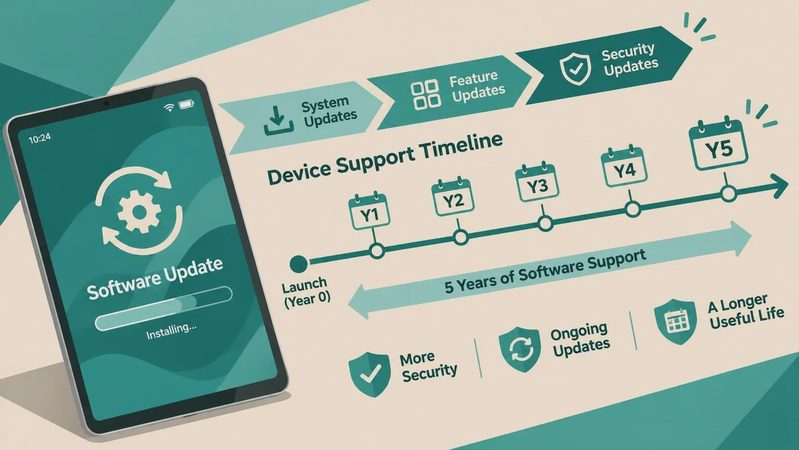
Software support deserves attention before you buy. A device that receives regular security updates is a better choice for banking, school accounts, and email than an old bargain model with uncertain support. Do not assume that a low price is a saving if you replace the tablet early. Paying $100 more for useful storage and a better processor can reduce the chance of buying twice.
How to check your own tablet at 12 months
Start with a normal day rather than a synthetic benchmark. Charge the tablet fully, use your usual apps, stream a show, browse the web, and make a video call if that is part of your routine. Record how much battery remains after several hours. A device that still meets your needs is healthier in practical terms than one with impressive specifications but poor ergonomics.
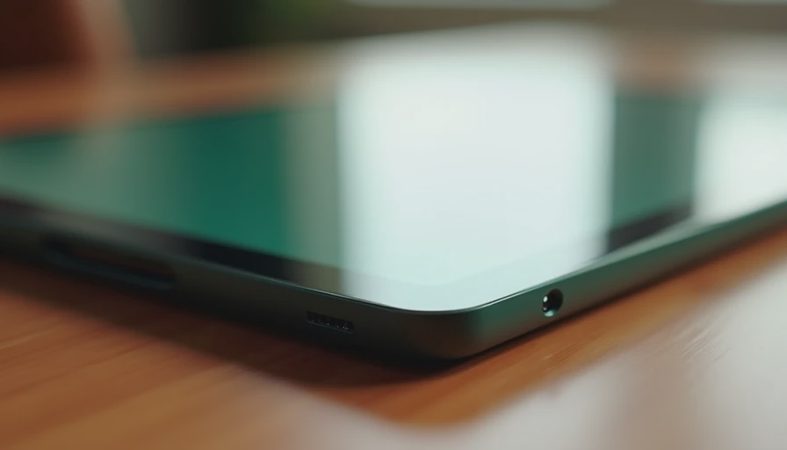
Next, check storage under the device settings. Remove downloads you no longer need, clear oversized app caches, and see whether the tablet becomes faster with at least several gigabytes free. Then inspect the charging port, speakers, buttons, touchscreen, and camera. A touch panel that misses taps near the edge can make typing and drawing unnecessarily irritating.
Finally, review your actual usage. If you mostly read Kindle books, watch YouTube, and check email, you probably do not need a premium replacement. If you now edit photos, take online classes, or use a keyboard every day, your original purchase may have outgrown its role. A tablet after one year should be judged against today's routine, not the excitement of the unboxing day.
When replacing it makes financial sense
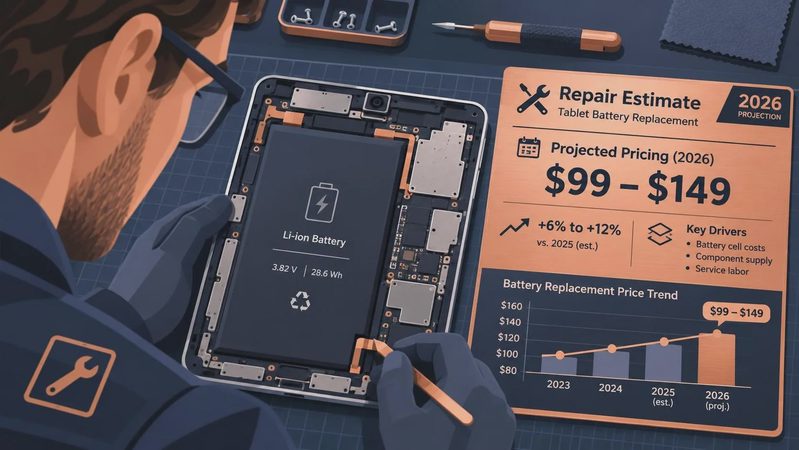
Replacement becomes reasonable when three problems overlap: battery life is poor, performance interferes with basic tasks, and repair costs approach the price of a better device. Battery service can cost roughly $100 to $200 depending on the model and provider. A cracked screen on a premium iPad or Galaxy Tab can cost even more, especially when the display and touch layer are bonded together.
Before spending, compare trade-in value, repair pricing, and current retail deals. A working older iPad may retain useful resale value, while a low-cost Fire tablet often has little value after several years. Move your files, confirm that photos are backed up, sign out of accounts, and perform a factory reset before selling or recycling the old unit.
The best upgrade is not always the most expensive one. A student might benefit from an iPad with more storage and a compatible Pencil. A parent may need a rugged case and a simple replacement rather than a flagship. A reader may prefer a smaller, lighter screen. The right tablet after one year is the one that still earns its space instead of becoming an expensive drawer resident.
My practical buying rule
Buy for the second year, not the first weekend. Choose enough storage for your real files, enough memory for your normal multitasking, and a charging standard that will remain common in your home. Budget for a case immediately. If a stylus, keyboard, or cellular connection is important, include those accessories in the original price comparison.
I am not impressed by a tablet that wins a speed test and frustrates its owner every evening. I am impressed by one that wakes quickly, remains comfortable, receives useful updates, and survives ordinary family handling. That is the lesson a tablet after one year provides: durability is not just whether the glass stays intact. It is whether the device continues to solve the problem you bought it to solve. If you are shopping now, compare today's prices and storage options, then choose the model you can still picture using next year.
No comments yet — be the first to share a thought.