
The surface pro 11 is the first Microsoft tablet in a while that made me stop thinking about the spec sheet and start thinking about daily use. I spent eight years selling tablets and processing the returns afterward. I've seen what comes back. Usually, it is not the slow processor people complain about. It is the uncomfortable keyboard, short battery life, awkward stand, or a device that costs more than expected once the accessories are added.
The short version is simple: this is an excellent Windows tablet for someone who genuinely needs Windows in a portable package. It is fast, quiet, light, and much more pleasant to carry than a typical laptop. It is not automatically the best choice for a casual couch tablet, and the keyboard remains a meaningful extra expense.
What the surface pro 11 gets right
The biggest improvement is the move to Qualcomm's Snapdragon X platform. In everyday work, the surface pro 11 feels quick without sounding busy. Opening several browser tabs, editing documents, checking email, and switching between a video call and a spreadsheet all feel responsive. The fanless design also matters. You can use it in a quiet classroom, library, or bedroom without hearing a small computer whine beside you.
The OLED display option is especially attractive for reading and creative work. Text looks crisp, colors are rich, and movies have the kind of contrast that makes an older LCD screen feel flat. The standard LCD version is still perfectly usable and usually makes more financial sense, but the OLED model is the one I would choose for digital illustration or long reading sessions.
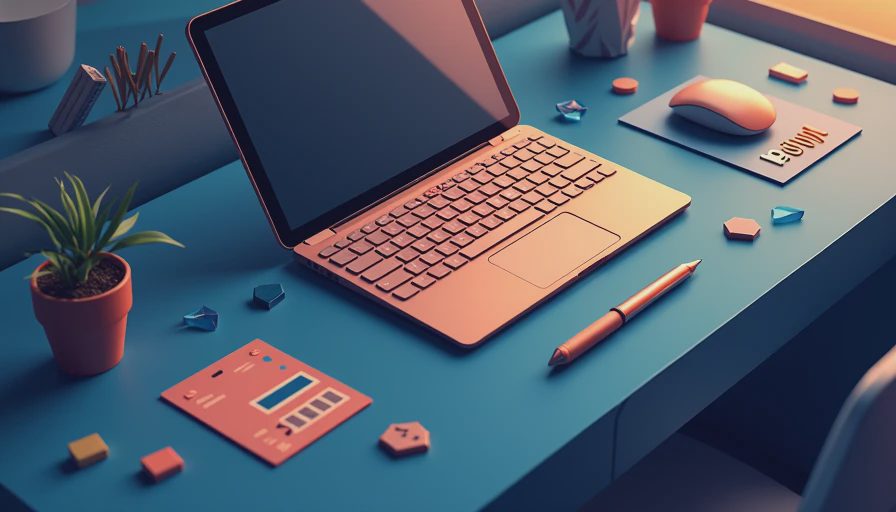
It is also genuinely portable. The tablet itself is light enough to carry under one arm, and the built-in kickstand gives you useful viewing angles. That flexibility is the reason people tolerate the compromises of a detachable design. On a kitchen counter, it can show a recipe. On a desk, it can become a laptop. In a hotel room, it can replace a larger computer.

The keyboard changes the buying decision
Here is where many shoppers get surprised. The surface pro 11 is not the complete laptop replacement shown in a store display until you add a keyboard. Microsoft's Flex Keyboard is comfortable and well made, but it can push the real purchase price noticeably higher. Add a Surface Slim Pen if handwriting or drawing matters, and a midrange configuration can move toward premium-laptop money.
The keyboard is good enough for long reports, school assignments, and email. The trackpad is also much better than the loose, cramped accessories bundled with inexpensive tablets. Still, the cover has less key travel than a traditional laptop keyboard, and the kickstand can feel awkward on your lap. At a desk, I like it. On a sofa, I would rather use a conventional laptop.
This is the first return-related warning I would give a friend: do not buy the tablet alone while assuming you will decide about the keyboard later. Try to budget for the complete setup immediately. If your main use is Netflix, reading, recipes, and occasional web browsing, a keyboard may be wasted money. If you need to type daily, treat it as part of the device price.
Compatibility is better, but not invisible
Windows on an ARM processor has improved substantially, and most common applications behave normally. Microsoft 365, Chrome, Edge, Zoom, Slack, Spotify, and ordinary web tools are not the concern for most buyers. The surface pro 11 can handle a normal productivity routine without making you think about the processor architecture every hour.
Specialized software is where you need to slow down. Older business programs, unusual printer utilities, certain games, and hardware tools can depend on drivers or components that do not behave perfectly on ARM. Adobe applications are more practical than they once were, but creative professionals should still confirm their exact plug-ins and workflow before buying.
The same advice applies to students. If your school requires a particular testing program, engineering package, nursing application, or lab device, search the software maker's compatibility page first. A fast computer that cannot run one required application is still the wrong computer. This is not a reason to reject the surface pro 11; it is a reason to buy it with your actual workload in mind.
Battery life and real-world use
Battery life is one of the stronger reasons to consider this model. Light work can last through a substantial portion of a workday, especially when brightness is moderate and you are not running demanding desktop applications continuously. Video playback and browsing are comfortable use cases. Heavy multitasking, high screen brightness, frequent video calls, and creative software reduce that advantage quickly.
I would describe the surface pro 11 as an all-day machine for disciplined light users, not a promise that every owner gets the same number of hours. That distinction matters. A teacher presenting slides, a student taking notes, or a traveler writing in a hotel should be happy. Someone exporting video while connected to multiple accessories should carry the charger.
The charging setup is straightforward, and USB-C support makes it easier to share chargers with newer phones and laptops. I still prefer carrying a compact power adapter for long days away from an outlet. No thin device escapes physics, and the gorgeous OLED option can consume more power than the basic display depending on what you are doing.
Who should buy it, and who should skip it
Buy the surface pro 11 if you want one machine for Windows work, handwriting, travel, and occasional tablet use. It is particularly appealing to professionals who already depend on Microsoft software, students who need a full desktop operating system, and artists who value a pen-friendly screen. The quiet operation and low weight are easy to appreciate after carrying a conventional laptop for a week.
Skip it if you mainly want a simple entertainment tablet. An iPad, Samsung Galaxy Tab, or less expensive Windows laptop can be a better fit depending on your apps and habits. Also skip the surface pro 11 if you dislike detachable keyboards, regularly work on your lap, or need extensive gaming and specialized desktop compatibility. The kickstand is clever, but it does not transform a tablet into a traditional clamshell laptop.
Storage deserves attention, too. Buying more storage later is not the same as replacing a desktop drive, so select a capacity that matches your files and applications now. For ordinary office work, a lower configuration can be reasonable. For large creative projects, photographs, or virtual machines, spend more on storage or plan for a fast external SSD.
My return-counter verdict
After living with the surface pro 11, I understand why it attracts people who want something lighter than a laptop but more capable than a tablet. It is not hype-free, though. The full setup costs more than the tablet listing suggests, ARM compatibility still deserves a software check, and lap use remains its weak point.
My recommendation is to buy the configuration that matches your real routine, not the one with the most impressive headline specification. If you need Windows and value mobility, this is one of Microsoft's best tablet designs in years. If you only want a cheap screen for browsing and streaming, keep your money. The surface pro 11 earns its price when you use its pen, keyboard, desktop apps, and flexible form every week.
Before the return window closes, test your required applications, type a long document, use it away from a desk, and check battery behavior during your busiest day. That practical trial tells you more than a benchmark chart. I've processed more tablet returns than most reviewers have published reviews, and the buyers who keep their devices usually made the purchase around their habits rather than the marketing.
No comments yet — be the first to share a thought.