
If you are wondering, “do iPads slow down with age,” the short answer is yes, but not in the simple way people usually mean. An iPad does not automatically become slow just because it has spent three birthdays in a drawer or backpack. The slowdown usually comes from an aging battery, newer software demanding more from older hardware, nearly full storage, or apps that have become heavier over time.
I have processed more tablet returns than most reviewers have published reviews, and I have seen what comes back. The familiar story is a customer returning an iPad that felt perfect on day one but now takes too long to open Safari, stutters during video calls, or loses charge before dinner. In many cases, the tablet is not finished. It just needs a realistic diagnosis before anyone spends $500 or more on a replacement.
Do iPads slow down with age, or is something else wrong?
The first thing I check is storage. Open Settings, choose General, then iPad Storage. If the bar is almost full, the tablet has less room for temporary files, app updates, downloaded videos, and system tasks. A 64GB iPad with only 2GB free can feel much worse than a 128GB model with 20GB available, even when both use similar processors.
Delete old Netflix downloads, duplicate photos, abandoned games, and large message attachments. You do not need to erase every app you paid for; unused apps can usually be downloaded again later. I also recommend restarting the iPad after cleaning up storage. It sounds basic, but a fresh start clears temporary problems that can make performance feel inconsistent.
If the device is slow only inside one app, update or reinstall that app before blaming the iPad. If every screen feels delayed, the cause is more likely storage, battery condition, software support, or aging hardware.
Battery health changes the experience
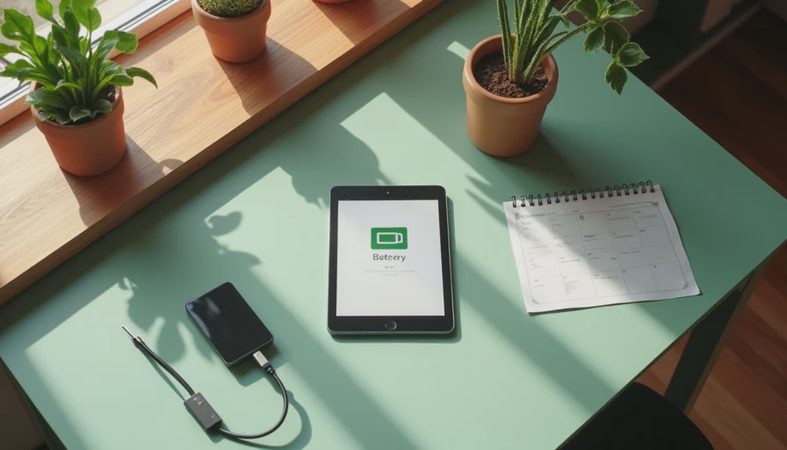
One reason people ask do iPads slow down with age is that older batteries hold less charge and deliver power less consistently. Apple provides battery health information directly on many newer iPad models, although the exact menu can differ by model and software version. If your iPad does not show a health percentage, unusual symptoms still tell you plenty: rapid drops from 40% to 15%, unexpected shutdowns, heat during simple tasks, or a battery that lasts only a few hours during light use.
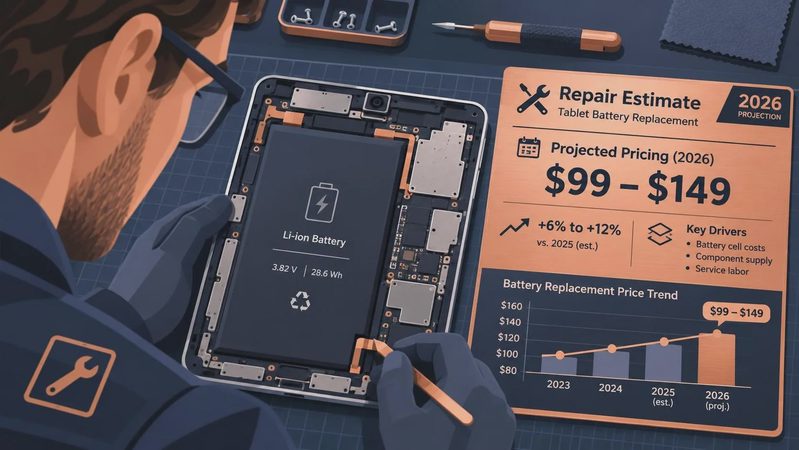
A worn battery can make an iPad feel unreliable even when its processor is still adequate. Charging may take longer, and the system can behave cautiously when power delivery is unstable. That does not mean every older iPad needs a battery replacement. A repair often costs roughly $100 to $200 depending on the model and service provider, so compare that price with the tablet’s age, storage, screen condition, and remaining software support.
For a clean-looking 2019 iPad with a weak battery, repair can be sensible. For a battered 2017 model with a cracked screen and 32GB of storage, repair money is usually better put toward a newer device.
Software updates are a bigger factor than age alone
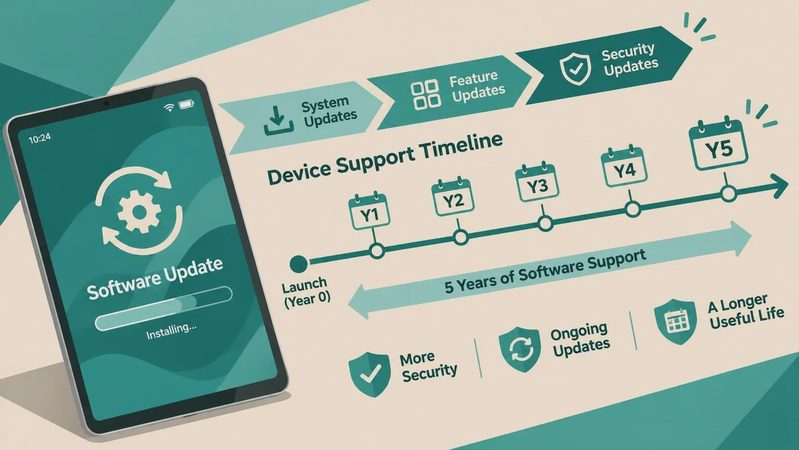
Apple supports iPads for years, which is one reason I am comfortable recommending a good older model over a brand-new budget tablet. Still, newer versions of iPadOS are designed around newer processors, graphics systems, cameras, and multitasking features. An update can add useful security protection while also making an older device feel less responsive.
This is where do iPads slow down with age has a more complicated answer. Sometimes the tablet feels slower because the operating system has more jobs to perform. Sometimes the slowdown is caused by third-party apps no longer being optimized for old hardware. A basic iPad used for reading, email, YouTube, and homework may remain perfectly comfortable, while the same model struggles with large Procreate canvases, heavy games, or multiple browser windows.
Do not judge an iPad by its age alone. Judge it by the work you ask it to do. A six-year-old iPad can be fine for a senior reading news and video-chatting with family. It can be frustrating for a student who needs split-screen research, digital notes, and several large documents open at once.

When an older iPad is still worth keeping
The best test is practical. Open the apps you use every week, not a benchmark app designed to make a newer processor look impressive. Launch Safari with five ordinary tabs, play a high-quality video, type a document, open Photos, and make a video call. Watch for delays longer than a few seconds, repeated app reloads, dropped calls, or a screen that stops responding near the edges.
If those tasks work smoothly, keep using the tablet. Spending $400 to eliminate a two-second delay is not a smart upgrade. A protective case, a fresh charger, and a storage cleanup can extend a useful iPad for another year or two. This is especially true when the device belongs to a child and the main jobs are school websites, streaming, reading, and casual games.
I would also keep an older iPad when it has a good display, reliable Wi-Fi, and enough storage for the owner’s actual routine. Specifications matter, but return reasons matter more. People rarely bring back a tablet because its benchmark score was low. They bring it back because it runs out of space, dies during travel, or cannot keep the apps they need open.
Signs it is time to replace the tablet
The question do iPads slow down with age becomes easier when several problems appear together. Replacement makes more sense when the battery is poor, storage is nearly full, the screen has damage, and important apps no longer support the operating system. One minor annoyance can be fixed. Four expensive annoyances usually signal the end of the sensible repair window.
Look at the current lineup by use case rather than automatically buying the most expensive iPad Pro. A standard iPad is often enough for browsing, streaming, school assignments, and video calls. An iPad Air makes more sense for drawing, heavier multitasking, and several years of headroom. The iPad Pro is valuable for demanding creative work, but it is unnecessary for someone whose hardest task is watching YouTube while checking email.
Before buying, compare storage first. Moving from 64GB to 128GB or 256GB can make a bigger everyday difference than paying for a faster chip you will never challenge. Also check whether the model supports the accessories you already own, including an Apple Pencil, keyboard case, or USB-C hub.
My buying rule after years of tablet returns
Do iPads slow down with age? Yes, but age is only the visible part of the story. Storage pressure, battery wear, software demands, and workload determine whether the slowdown is noticeable. Diagnose those four areas before declaring an iPad obsolete.
My simple rule is this: clean the storage, restart the device, update essential apps, and test the battery before shopping. If the iPad then handles your real routine, keep it. If it remains slow and also has poor battery life or limited storage, stop sinking money into it. Buy enough performance and storage for the next three years, not just enough to win a comparison chart today. That approach saves more money than chasing every annual release, and it usually leads to a tablet you still like after the return window closes.
No comments yet — be the first to share a thought.