The fire hd 10 is the tablet I recommend when someone wants a simple screen for streaming, reading, recipes, video calls, and light web browsing without spending iPad money. I have processed more tablet returns than most reviewers have published reviews, and I know why people bring the fire hd 10 back: not because it is terrible, but because buyers expect it to behave like a $500 tablet. It does not. Used for the jobs it handles well, it is a practical little slab with a surprisingly low cost of ownership.
What the fire hd 10 gets right
The first thing you notice is the 10.1-inch 1080p display. It is large enough for Netflix, Prime Video, YouTube, Kindle books, digital recipes, and video calls without feeling like you are squinting at a phone. The screen is not an iPad Pro panel, but indoor color and sharpness are perfectly usable. Text looks clean, and children can watch a cartoon from across the couch.
Amazon also keeps the experience uncomplicated. Setup is quick if you already use an Amazon account, and the interface puts books, videos, apps, games, and shopping in one place. The tablet includes access to the Amazon Appstore, so common services such as Netflix, Spotify, Disney+, and Zoom are available. That said, the app catalog is not as broad as Apple's App Store or Google's Play Store. If you depend on a niche Android app, investigate compatibility before ordering.
Battery life is another quiet strength. In normal mixed use, I can go through a couple of evenings of reading and streaming before reaching for the charger. The USB-C port is convenient, and the body is light enough for a child or older adult to hold for a reasonable period. The fire hd 10 is not exciting hardware, but it is comfortable hardware, which matters more after the unboxing novelty disappears.
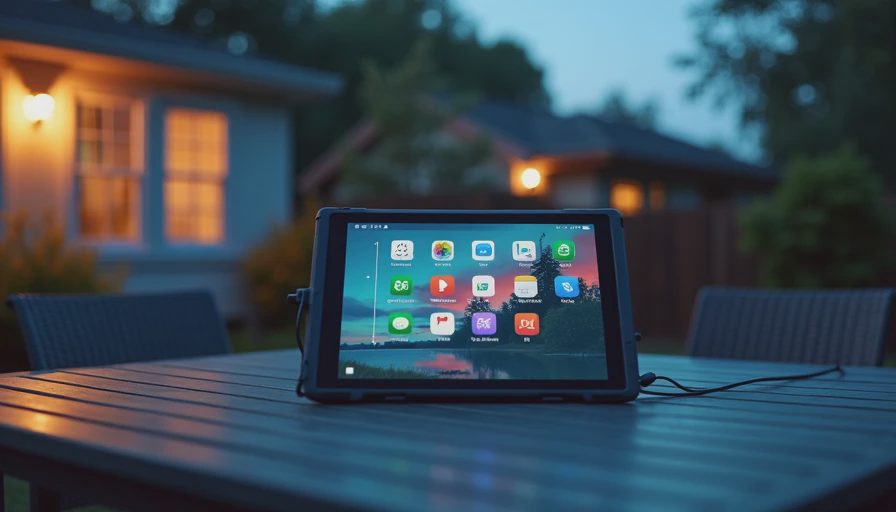
Where buyers get disappointed
The most common return starts with the words, "I thought it would be faster." The fire hd 10 handles one task at a time well. Open a streaming app, read a book, or browse a few websites, and it feels fine. Start stacking several browser tabs, a video call, a game, and background downloads, and the limitations become obvious. Apps can reload when you switch between them, and heavy pages take patience.
This is also not the right purchase for serious gaming, professional drawing, or intensive schoolwork that requires a full desktop-style workflow. Casual games are fine. Demanding three-dimensional games can expose stutters and long loading times. The touchscreen works for notes and simple sketches, but the experience is not comparable to an iPad with an Apple Pencil or a Samsung Galaxy Tab with an S Pen.
The cameras are serviceable rather than impressive. A front camera can manage a family video call in good light, but it will not produce flattering detail in a dim room. The rear camera is best treated as a document scanner or emergency snapshot tool. If photography is part of your tablet plan, you are shopping in the wrong category.
Fire OS and the app question
Fire OS is based on Android, but it does not feel exactly like a standard Android tablet. Google services are not presented in the same way, and the Google Play Store is not installed as the default app marketplace. Amazon's store covers mainstream entertainment and utility apps, yet gaps remain. Some banking, smart-home, school, and specialty business apps can be missing or outdated.
That limitation is the decision point I would handle before price. Search the Amazon Appstore for every app you consider essential. Check your child's school platform, your preferred password manager, your fitness app, and any work tool you use. Do not assume that an Android phone app will automatically be available here. People often return the fire hd 10 after discovering that one important app is absent, even though everything else about the tablet meets their needs.
There are unofficial ways to install Google Play, but I do not treat that as a normal setup recommendation for a family member who wants a reliable appliance. Updates, account issues, and troubleshooting can turn a $100 bargain into a weekend project. If Google apps are central to your routine, a conventional Android tablet is usually the cleaner choice.

Storage, ads, and the real price
Storage deserves more attention than processor branding. Entry configurations can fill quickly once you download movies, audiobooks, games, and children's content. A model with 64GB is easier to live with than a smaller version, especially if the tablet will be shared. Many models also support a microSD card, which can expand room for compatible downloads and files, although some apps still need internal storage.
Amazon has also sold versions with lock-screen advertising, often described as special offers. That lowers the purchase price, but the ads can annoy anyone who wants a clean start screen. Removal has commonly required an additional fee through Amazon, so compare the advertised price with the ad-free total before deciding. A discount is less useful if you resent the product every time you wake it.
A case is not optional in most homes. A basic protective case can cost $15 to $30, while a kid-focused case with a thick handle may run $20 to $40. Add those costs before comparing this tablet with a sale-priced Samsung or Lenovo model. The fire hd 10 can still be the better value, but only when you compare complete setups rather than bare tablet prices.
Who should buy it
For a parent who wants Disney+ on a road trip, the fire hd 10 makes sense. Download content over Wi-Fi, add a durable case, and you have a much less expensive entertainment screen than an iPad. For a senior who mainly reads news, watches videos, checks email, and joins occasional calls, the large display and straightforward controls are appealing. For a kitchen tablet, it is also a sensible choice because replacing a damaged budget device hurts less than replacing premium hardware.
Students need a closer look. Reading textbooks, watching lectures, typing short assignments, and joining class calls are realistic uses. Writing a long research paper or running specialized software is not. A Chromebook or laptop will usually be more flexible for serious schoolwork. The fire hd 10 works best as a companion device, not a complete computer replacement.
I would also consider it for a frequent traveler who wants an inexpensive screen for hotels and flights. Just remember that downloaded entertainment, a USB-C charger, and enough internal storage matter more than a few extra processor specifications.
My return-data verdict
The fire hd 10 survives the Jonah test in my house: a full week in my seven-year-old's hands, including streaming, reading, casual games, and a few accidental drops onto the couch. It passes because the screen is useful, the controls are approachable, and the cost makes family wear and tear less stressful. I would not hand it to a power user and promise a premium experience.
Buy it when your priorities are a big display, dependable media playback, basic browsing, and a low price. Skip it when you need Google Play without workarounds, demanding games, professional creative tools, or laptop-level multitasking. The fire hd 10 is not a hidden iPad killer. It is a focused budget tablet that does ordinary jobs well, and that is exactly why it avoids many of the returns I saw at the store. Check the current storage, advertising, and bundle price before ordering, then buy the case at the same time.



No comments yet — be the first to share a thought.