Finding the best tablet for kids is less about winning a spec-sheet argument and more about avoiding the return counter. I spent eight years selling tablets and processing the returns afterward, and I have seen what comes back: expensive devices with cracked screens, weak batteries, confusing menus, and parental controls nobody could configure. The right choice should handle cartoons, school apps, road trips, and the occasional drop without making you regret the purchase two weeks later.
What makes a tablet genuinely kid-friendly
A child-friendly tablet needs four things: a sturdy case, a screen that is comfortable for reading, dependable battery life, and software an adult can manage. Processor speed matters, but it is rarely the first reason a family returns a tablet. More often, the problem is frustration. An eight-year-old cannot install an app because the approval system is confusing, or a parent discovers that a video app has no useful time limit.
Amazon Fire tablets remain popular because their kid profiles, parental controls, and optional Kids subscription are easy to understand. A Fire HD 10 can be a sensible low-cost pick for streaming, ebooks, drawing apps, and simple games. The tradeoff is the Amazon app store, which does not offer every Android app. If your child needs Google Classroom, a specific school program, or a favorite Android game, confirm compatibility before ordering.
Apple's entry-level iPad is usually the better all-purpose choice when budget allows. It has broader app support, strong performance, a long software life, and excellent accessories. The drawback is price: once you add a rugged case, Apple Pencil support, and storage, a seemingly affordable iPad can move well above $400. Samsung's Galaxy Tab A9+ sits between those options, offering a larger display and standard Android access at a moderate price.

Best tablet for kids by age and use
For preschoolers, simple wins. A Fire 7 or Fire HD 8 in a thick foam case is enough for alphabet games, downloaded shows, and short car rides. The smaller size is easier for little hands, and replacing a $60 to $100 tablet hurts less than replacing a premium model. Do not expect perfect performance from entry-level hardware; several large games and background downloads can make it feel sluggish.
For elementary school children, the best tablet for kids usually has at least 64GB of storage, USB-C charging, and a screen around 8 to 11 inches. The Fire HD 10, Samsung Galaxy Tab A9+, and base iPad all fit different budgets. Storage matters because downloaded Disney Plus videos, Minecraft worlds, school files, and photos consume space quickly. A model that is cheap but constantly displays a storage warning is not a bargain.
For older students, think beyond entertainment. The best tablet for kids in this age group should support research, video calls, document editing, and a keyboard if needed. An iPad works particularly well for students already using iPhone features and iCloud. A Samsung tablet makes more sense for families invested in Android phones, Google Drive, and Google Classroom. A cheap Fire tablet can still handle reading and video, but it may feel limiting for serious schoolwork.
Parental controls that do not create a daily argument
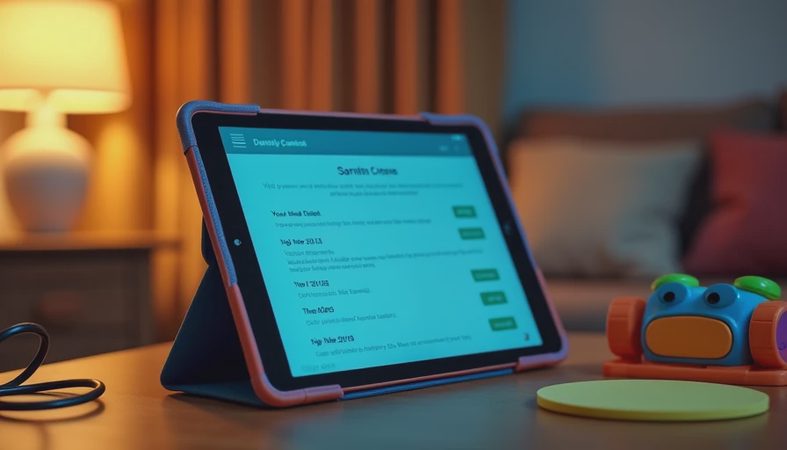
A tablet can be physically durable and still fail at the family level if controls are difficult. Before setup, create a separate child profile rather than handing over your own account. Turn on purchase approval, require a password for app downloads, and set a bedtime or downtime schedule. Keep the adult PIN private; writing it on a case label defeats the entire purpose.
Apple Screen Time provides app limits, content restrictions, communication controls, and downtime. Google Family Link offers similar management for Android devices, while Amazon's child profiles are built directly into Fire tablets. None of these systems replaces supervision. A determined child can still find questionable content through a web browser, another device, or a friend's account. Set the browser rules first, then test the device using the child profile before wrapping it.
I also recommend downloading a few approved apps while you are sitting at the kitchen table. Test the volume limit, airplane mode, offline videos, and charging cable. If a parent cannot find those settings calmly, a child will not have a better experience later. This five-minute trial catches more problems than reading another dozen product reviews.
Cases, screen protection, and repair costs
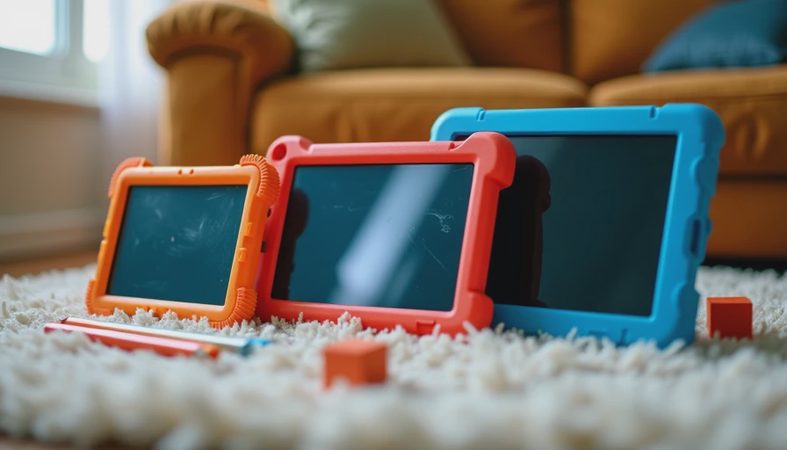
Buy the case before the tablet arrives. For younger children, choose a thick EVA foam case with a handle and raised edges. For older kids, a TPU or polycarbonate case is less bulky while still protecting the corners. A tempered-glass screen protector can help with scratches, but it does not make the display unbreakable. Keep the tablet away from sinks, pools, and the back seat floor where it can be stepped on.
A $15 to $30 case is cheap compared with a screen repair that can cost $100 to $300 depending on the model. Premium tablets also deserve a closer look at warranty and repair options. AppleCare Plus, Samsung protection plans, and retailer coverage each have different fees and terms, so read the accidental-damage details instead of assuming a standard warranty covers drops. Standard warranties generally address manufacturing defects, not playground damage.

The return-counter test I use before recommending one
My process is straightforward. First, I charge the tablet fully and check how long it takes to reach a usable level after heavy video playback. Next, I install the apps the child will actually use instead of relying on a benchmark score. Then I open several apps, switch between them, and download a movie for offline use. A tablet that stutters during this ordinary routine is not ready for family duty.
I also hand the device to my seven-year-old, Jonah, for a full week. This is the Jonah test: can he hold it comfortably, find his approved apps, hear dialogue without maximum volume, and return it to the charger? My four-year-old, Ivy, supplies the less scientific drop and sticky-finger portion. If the case shifts, the charging port feels fragile, or the menus invite accidental purchases, I pay attention. Those are the details that show up in returns.
My practical buying recommendation
If your budget is under $150, choose a Fire HD 8 or Fire HD 10 with a quality case, but verify app availability first. Around $200 to $300, the Samsung Galaxy Tab A9+ is a flexible Android option for families that want Google services and a larger screen. If you want the smoothest long-term experience and can spend more, the current base iPad paired with a durable case is the safest general recommendation.
The best tablet for kids is not necessarily the fastest or most expensive model. It is the one that fits the child's age, supports the apps your family needs, and does not turn charging, setup, or screen limits into a nightly battle. Before you buy, check storage, app compatibility, case availability, and return terms. That short checklist will save more money than chasing a discount on hardware your family cannot use comfortably.

No comments yet — be the first to share a thought.