
A durable tablet for kids should survive more than a careful unboxing and one supervised cartoon. It needs to handle backpack abuse, crumbs near the charging port, accidental drops from the couch, and the mysterious force that makes children press every button at once. I spent eight years selling tablets and processing the returns afterward. I've seen what comes back, and the most expensive model is rarely the one that leaves a family happiest.
The practical goal is not an indestructible device. No tablet is indestructible. The goal is a reasonably fast tablet with a replaceable or protective case, reliable parental controls, decent battery life, and a screen that does not become useless after one fall. That combination matters more than a flashy processor or an ultra-thin body.
What makes a tablet genuinely kid-ready
Start with the shell, not the display resolution. A tablet can have a sharp screen and still be a poor family purchase if the frame bends easily or the charging port feels loose after a month. For most homes, a rugged case with a thick bumper, raised screen lip, covered corners, and a built-in handle does more practical work than an extra $100 spent on premium specifications.
Amazon Fire tablets remain popular for children because their Kids profiles, parental controls, and kid-focused content are straightforward. The Fire HD 10 Kids models typically include a substantial protective case and a two-year worry-free replacement promise, while the regular Fire HD 10 costs less but requires you to buy protection separately. Apple iPads offer stronger performance and a larger app ecosystem, but a basic iPad needs a serious case before it enters a seven-year-old's backpack. Samsung Galaxy Tab A models are another sensible middle ground when you want Android flexibility without flagship pricing.
A durable tablet for kids should also have physical controls that are easy to find. Large volume buttons, a visible power button, and a charging connection that does not require excessive force reduce daily frustration. A headphone jack can still be useful in the back seat, although wireless headphones are more common now.

The case is part of the purchase
I have watched customers spend $300 on an iPad and then protect it with a thin $12 cover. That is usually a false saving. A proper case costs less than a screen repair, and it makes the tablet easier for smaller hands to hold. Look for EVA foam or similarly shock-absorbing construction, a thick border around the display, and a stand that locks firmly instead of collapsing during use.
For a durable tablet for kids, I prefer a case with a handle that doubles as a stand. The handle helps during car rides, and the stand keeps children from gripping the screen edges while watching videos. Avoid cases with loose rubber flaps over every opening if your child needs to charge the device independently. Those flaps can tear, disappear, or prevent a plug from seating correctly.
Buy a tempered-glass screen protector only if it fits the exact model. Tablet generations often look nearly identical while using different camera cutouts or screen dimensions. A badly fitted protector creates dust gaps and corners that lift. Before handing over the device, charge it, install the case, and test the buttons through the material.
Performance, storage, and battery life
You do not need a gaming tablet for cartoons, reading apps, schoolwork, and light games. You do need enough memory and storage that the device does not become irritating after several updates. I generally look for at least 3GB of RAM for a budget Android or Fire tablet, with 4GB or more providing a smoother experience when switching between apps. Storage of 32GB can work for streaming households, but 64GB is a more comfortable starting point if downloads, photos, and games will live on the device.
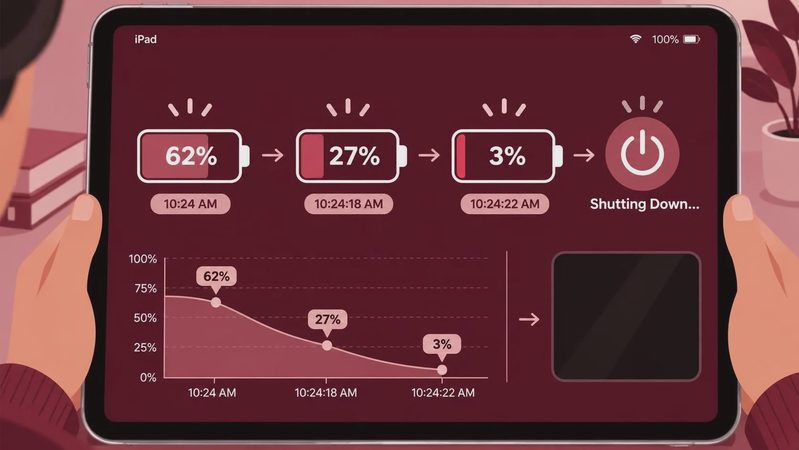
Battery claims on retail boxes describe ideal testing conditions. Real children use maximum brightness, Bluetooth headphones, Wi-Fi, and demanding games, so actual time between charges is shorter. A durable tablet for kids should comfortably cover a school day or a long car trip, not merely play video for a few hours in a lab-style test.
Check charging behavior before the return window closes. Some inexpensive tablets take several hours to refill, which creates morning arguments when someone forgot to plug it in. A USB-C connection is convenient because the cable is common, but the port still needs careful handling. Teach children to place the tablet on a table before connecting the cable rather than charging it while walking around.

Parental controls are more important than raw speed
A fast tablet can still be a bad family device if children can buy apps, open unsuitable websites, or stay awake watching videos until midnight. Amazon Kids profiles make it easy to set age filters, daily limits, and bedtime schedules within the Fire ecosystem. Apple Screen Time provides detailed controls on iPad, and Google Family Link offers useful supervision for compatible Android devices. The menus differ, but the setup principle is the same: create the child's account before the first handoff.
A durable tablet for kids should be configured for the way your household actually works. Download approved videos before a road trip, enable purchase approval, set a realistic daily limit, and test the limits from the child's profile. Also set a strong adult PIN that is not the same as the tablet's birthday-themed lock code. Children are remarkably good at guessing those.
Do not assume a product labeled “kids” has unlimited access to every educational service. Some school platforms work best in a standard Android, iPadOS, or Chrome environment. If the tablet is for homework, ask the school which apps and browser features are required before buying.
What usually comes back to the store
In my retail years, the common returns were not caused by a processor being slightly slow. Families returned tablets because storage filled immediately, the battery drained during a long trip, the case made the device awkward to use, or parental controls were confusing. Some buyers chose a small seven-inch model because it was inexpensive, then discovered that children struggled with typing and split-screen schoolwork.
Another frequent mistake was buying a Wi-Fi-only tablet for a child who needed dependable access while traveling. Wi-Fi-only models are usually cheaper and work well at home, libraries, and hotels with internet service. For road trips, a phone hotspot can help, but it uses the phone's battery and data. Cellular tablet plans add monthly cost, so they make the most sense for families that truly need independent connectivity.
When comparing a durable tablet for kids, add the real total: tablet, case, screen protector, charger, and any subscription. A $150 Fire tablet that needs a $35 case and a paid content plan may be a different value from a $250 iPad with free school apps already covered by your household setup.
My buying checklist and final recommendation
Before ordering, answer six questions. Who will use it, and for what ages? Will it travel outside the house? Is 32GB enough, or will downloads fill it? Does the case protect the corners and screen? Can an adult control purchases and bedtime? What happens if the screen breaks after the retailer's return period?
For younger children who mainly stream, read, and play simple games, a Fire HD 10 Kids bundle is often the least stressful starting point. For schoolwork, drawing, and several years of use, a standard iPad in a strong rugged case usually offers better long-term performance, though the upfront cost is higher. A Samsung Galaxy Tab A with a quality case fits families that want Android apps and more flexibility without paying iPad prices.
The best durable tablet for kids is the one your child can hold safely, your budget can replace if necessary, and your household can manage without daily arguments. Buy the protection at the same time as the tablet, configure controls before the excitement begins, and use the return window to test charging, battery life, apps, and comfort. That boring preparation is what keeps a promising purchase from becoming the next tablet return on my counter.

No comments yet — be the first to share a thought.