
If you searched for Alexa Tablet 11, you are probably trying to find an Amazon tablet with an 11-inch screen and built-in Alexa features. The important detail is that Amazon does not generally sell a product officially named “Alexa Tablet 11.” The device most shoppers mean is the Amazon Fire Max 11, a large Fire tablet that uses Alexa for voice commands, smart-home control, timers, music, and questions.
I have processed more tablet returns than most reviewers have published reviews, and this is where the listing-page excitement needs a reality check. The Fire Max 11 is a good inexpensive family and entertainment tablet, but it is not a cheaper iPad in every meaningful way. Its screen and battery are appealing. Its software limitations are what send some buyers back to the store.
What the Alexa Tablet 11 search usually means
When someone says Alexa Tablet 11, they are usually looking for three things: a screen larger than a basic Fire HD 10, hands-free voice assistance, and a price below premium tablets from Apple or Samsung. The Fire Max 11 fits that description better than older Fire models because it has an 11-inch display with a 2000-by-1200 resolution, a metal-backed design, USB-C charging, and a faster octa-core processor.
The screen is the strongest part of the package. Movies look clean, web pages have useful room, and split-screen reading feels less cramped than it does on a 10-inch budget model. At roughly 1.1 pounds, it is still manageable on a couch, although it becomes tiring to hold one-handed during a long e-book session. The optional keyboard case and stylus also make it more flexible for notes and light schoolwork.
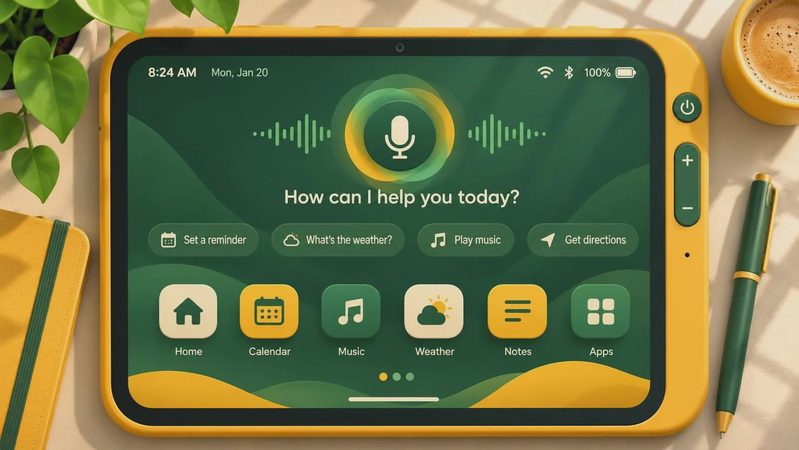
Alexa works as an app and voice assistant rather than as a separate tablet operating system. You can ask for weather, set a cooking timer, play music, call up compatible smart-home devices, or search for information. Hands-free use depends on settings, permissions, and whether the tablet is plugged in or configured to respond appropriately. It is useful, but do not confuse it with the always-ready experience of an Echo Show in every room.

Where the Fire Max 11 earns its price
The best reason to consider the Alexa Tablet 11 is casual use. A family can share one for Disney Plus, Prime Video, YouTube, Kindle books, recipes, video calls, and web browsing without spending iPad money. The display has enough size for a child watching a show in the back seat or a parent following a recipe on the kitchen counter. Performance is also noticeably better than the slowest entry-level Fire tablets when switching between ordinary apps.
Amazon’s interface is straightforward for people already using Prime services. Downloading books, movies, and music from Amazon feels natural, and parental controls are among the more practical features in this price range. A parent can create a child profile, set time limits, restrict age ratings, and manage access from the Amazon Kids environment. That does not make the tablet indestructible, so a case remains money well spent.
Storage is another reason to look closely at the specific configuration. The Fire Max 11 is sold with 64GB or 128GB of internal storage, and a microSD card can expand space for compatible downloads. If several people will use it, I would skip the smallest storage option when the price difference is reasonable. Large games, offline shows, and downloaded books fill a shared tablet faster than most buyers expect.
The compromises shoppers notice after two weeks
The central problem with the Alexa Tablet 11 is Fire OS. It is based on Android, but it does not include the Google Play Store by default. Amazon’s appstore has popular services, but the catalog is not identical. You may find Netflix and many mainstream entertainment apps, yet a favorite banking app, niche school tool, smart-home app, or game can be missing, outdated, or dependent on a browser.
Some experienced users install Google Play manually, but that process is not something I recommend for a parent buying a reliable tablet for someone else. It can involve downloading files from outside Amazon, choosing the correct versions, and troubleshooting after updates. If your daily plan depends on Gmail, Google Drive, Google Photos, Chrome extensions, or a particular Android app, a Samsung Galaxy Tab or standard Android tablet is usually less frustrating.
The tablet also carries the normal Fire-tablet trade-offs. The cameras are adequate for basic video calls but not impressive. The speakers are acceptable for shows and podcasts, though headphones improve music. The keyboard accessory can help with short documents, but this is not a replacement for a laptop if you need advanced spreadsheets, desktop software, or extensive typing. Amazon’s software is designed around consumption first.

Alexa features that are genuinely useful
Alexa is most valuable when you treat the tablet as part of an Amazon household. Ask it to add an item to a shopping list while your hands are busy, set a timer while cooking, play a podcast, or control compatible lights and plugs. A family with Echo speakers may also appreciate familiar voice commands and the ability to use the tablet as another screen for information.
The voice assistant is less compelling if you rarely use Amazon services or do not have smart-home devices. You can still browse, read, and watch video without Alexa, but then you are paying for a feature that might sit untouched. Privacy settings also deserve a quick review. Microphone permissions, voice-recording controls, and household profiles should be configured before handing the device to a child.
For seniors, voice commands can reduce the need to navigate small menus, especially for timers, weather, music, and simple questions. However, the tablet is not a medical alert device, and Alexa should not be treated as an emergency response system. A simple case with a built-in stand can make the screen easier to use on a table or nightstand.
How it compares with the obvious alternatives
Compared with an entry-level Fire HD 10, the Fire Max 11 gives you a larger, sharper-feeling workspace and a more premium build. That difference is easy to notice when reading news or using split-screen apps. The cheaper model can still be the smarter purchase for a young child, a kitchen recipe screen, or a tablet that might be lost in a vehicle.
Compared with an iPad, the Fire Max 11 usually wins on upfront cost and Amazon-family integration. The iPad wins on app selection, long-term software support, accessory quality, and creative apps. Compared with a Samsung Galaxy Tab, Amazon’s option can cost less, while Samsung offers broader Android compatibility and a more familiar Google software experience. The right choice depends less on processor terminology and more on the apps you use every week.
My buying advice before checkout
Search results for Alexa Tablet 11 often mix official products with accessories, used listings, and vague marketplace titles. Confirm that the seller identifies the tablet as a Fire Max 11, check the storage capacity, and verify whether the listing includes only the tablet or a keyboard, stylus, case, and charger. Bundle pricing can look attractive while still excluding the accessories you actually need.
I would buy it for streaming, reading, recipes, Alexa commands, family profiles, and light browsing. I would not buy it as a primary work computer or for someone dependent on the full Google Play catalog. A sturdy case, screen protector, and microSD card can add roughly $30 to $80, so include those costs when comparing deals.
The practical verdict on Alexa Tablet 11 is simple: the Fire Max 11 is a solid midrange Amazon tablet when you understand its boundaries. It delivers a spacious display, useful voice features, and respectable everyday speed for a controlled price. Just make the app-store compromise first, not after the return window closes. I’ve seen what comes back, and missing apps are usually the reason.
No comments yet — be the first to share a thought.