
If you are searching for the Alexa Tablet 12 Pro, you are probably looking for a large, affordable screen with hands-free voice control. Here is the uncomfortable part: the product name does not have the same clear, established identity as mainstream tablet lines from Amazon, Apple, Samsung, or Lenovo. Before spending your money, treat the listing as something to verify, not a product whose name alone proves its quality. I have processed more tablet returns than most reviewers have published reviews, and vague model names are often where disappointment starts.
That does not automatically make the device a scam. It does mean you should slow down and confirm the manufacturer, operating system, warranty, storage, seller, and return terms. A tablet can look impressive in an online photo and still feel sluggish, show intrusive ads, or lack access to the apps your household uses every day.
What the Alexa Tablet 12 Pro name actually tells you
The name suggests a 12-inch-class tablet with Alexa-related functionality, but a product title is not a specification sheet. The word Pro is especially easy for sellers to use as a marketing label. It does not guarantee a fast processor, a high-resolution display, pen support, cellular connectivity, or premium construction.
Look for a real manufacturer name and a complete model number. Then check whether that model number appears consistently on the product page, packaging photos, support page, and seller invoice. If the listing only says Alexa Tablet 12 Pro without identifying who builds and supports it, that is a meaningful warning sign. You want a company that can provide firmware updates, replacement parts, and a clear warranty address.
Also separate Alexa support from Alexa being the tablet's operating system. Alexa is Amazon's voice assistant. A tablet can include Alexa features without being an Amazon Fire tablet, and it can also use a voice assistant while running a heavily modified version of Android. Those differences affect app compatibility, privacy settings, parental controls, and long-term support.
The checks I would make before buying
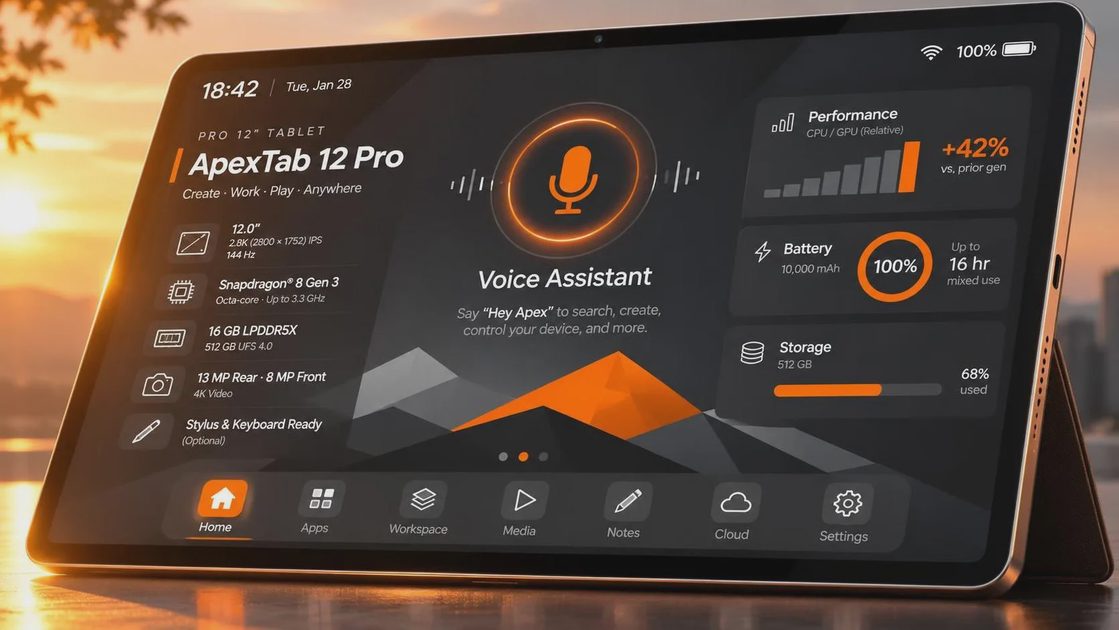
Start with the processor and memory. Do not accept a listing that says only fast octa-core processor or professional performance. Find the actual chip name, RAM amount, and storage type. For basic video, reading, email, and web browsing, 4GB of RAM can be workable, while 6GB or more usually gives a more comfortable buffer when switching between apps. Storage is equally important because the operating system and preinstalled apps consume part of the advertised capacity.
Next, verify the display resolution rather than trusting a large screen photo. A 12-inch panel with a low resolution can look soft when reading text. Ask whether the screen uses a standard LCD, what brightness is listed, and whether the product supports a pressure-sensitive stylus or merely a basic capacitive pen. Those are very different experiences for handwritten notes and drawing.
Battery claims deserve caution. A listing might quote a large battery capacity, but runtime depends on brightness, video streaming, Wi-Fi strength, and background apps. Reviews showing several hours of real use tell you more than a promising number in a bullet list. Look for pictures of the charger, too. A weak or unusual charger can turn a supposedly convenient tablet into a slow overnight project.
App access matters more than the logo
The most common tablet return I saw was not caused by a cracked screen. It was an app problem. A parent bought a tablet for schoolwork, then discovered that the required app would not install. Another customer expected Google Maps, banking apps, or a familiar streaming service and found an incompatible app store instead.
Before considering the Alexa Tablet 12 Pro, list the five apps that matter most in your home. That might include YouTube, Netflix, Zoom, Microsoft 365, Kindle, Google Classroom, or a specific company app. Confirm each one in the tablet's actual app store. Do not assume that an Android-looking interface provides the full Google Play experience.
You should also inspect the software version and update policy. A device running an old version of Android can still perform basic tasks, but security updates and app support become more important over time. If the seller will not state the current software version or explain how updates arrive, budget for a shorter useful life.
For children, check whether the tablet offers separate profiles, screen-time limits, purchase controls, and content filters. A cheap tablet that requires constant supervision can cost more in family stress than a slightly more expensive model with mature controls.
How it compares with safer buying options
If you want Alexa features specifically, an Amazon Fire tablet is easier to identify and support. Fire tablets use Amazon's software environment, so you should still verify app availability, but the model names, accessories, warranty process, and support documentation are clearer. Amazon often positions Fire models as budget entertainment tablets rather than laptop replacements, which is a more honest expectation.
Samsung Galaxy Tab models generally cost more, but they offer broad Android app access, polished hardware, and a familiar Google Play setup. Lenovo Tab models can be attractive for media and family use when discounted, though software support and performance differ by model. An entry-level iPad is usually the expensive option, but its app support, accessory ecosystem, and resale value make it easier to recommend for students or creative work.
Prices change constantly, but the practical comparison is simple. If an unknown 12-inch tablet costs $150 to $220, compare it with sale pricing on a known Fire, Lenovo, or Samsung model before ordering. A $40 difference can buy better support, fewer setup headaches, and a case that actually fits.
Who should consider it and who should skip it
The Alexa Tablet 12 Pro could make sense for a buyer who has confirmed the seller, needs a large screen for occasional browsing, and is comfortable accepting uncertain long-term support. It might work as a kitchen recipe display, a bedside streaming screen, or a spare device for travel. Those are modest jobs, and modest jobs do not require flagship performance.
I would skip it for primary schoolwork, professional video calls, digital illustration, business banking, or a shared family device unless the listing provides unusually strong documentation. Those uses depend on reliable updates, app compatibility, microphones, cameras, and customer support. Saving $50 at checkout is not a saving if the tablet becomes a return two weeks later.
The Jonah test is useful here: could a seven-year-old use it without you fixing something every afternoon? If the answer is no, the low price is hiding a time cost. A family tablet should survive ordinary drops with a case, resume apps quickly, and make parental controls easy to find.
A sensible buying checklist
Before placing an order for the Alexa Tablet 12 Pro, complete these steps:
- Confirm the manufacturer, exact model number, and seller history.
- Find the processor, RAM, usable storage, display resolution, and charger details.
- Verify the app store and search for your essential apps before buying.
- Read recent reviews for repeated complaints about ads, crashes, charging, or missing accessories.
- Confirm the return window, restocking fees, warranty provider, and return shipping responsibility.
- Price a protective case and screen protector, because an unusual size can make accessories costly.
- Pay with a method that gives you a clear dispute process if the product differs from the listing.
My bottom line is straightforward: do not buy the Alexa Tablet 12 Pro because the word Pro sounds reassuring. Buy only after the hardware and software details survive inspection. If the listing stays vague, choose a known Fire, Samsung, Lenovo, or iPad model instead. I've seen what comes back, and the cheapest tablet is rarely the one that feels cheapest after the return deadline.




No comments yet — be the first to share a thought.