
The short answer to “Samsung DeX worth it” is yes, if you want a tablet that can behave like a small desktop computer. It is not a magic laptop replacement, and it will not fix a weak tablet, poor keyboard, or app that refuses to cooperate. After spending years selling tablets and processing the returns afterward, I have seen exactly where DeX earns its keep and where buyers feel misled.
Samsung DeX is Samsung’s desktop-style interface for compatible Galaxy phones and tablets. Instead of a full-screen mobile app, you get resizable windows, a taskbar, keyboard shortcuts, and a layout that feels closer to Windows or ChromeOS. On a large Galaxy Tab with a keyboard, that difference is not cosmetic. It changes how you work.
What Samsung DeX actually does
In standard Android tablet mode, opening two apps can feel like juggling dinner plates. DeX lets you place Samsung Notes beside Chrome, keep Spotify in a smaller window, and drag files between apps. You can minimize windows, resize them, and use a mouse pointer instead of tapping every control.
That setup is especially useful for email, schoolwork, spreadsheets, online research, and light office tasks. I can picture a student researching a paper in Chrome while outlining it in Google Docs. A parent can keep a budget open while checking a bank statement. A remote worker can answer messages without losing a video call behind a full-screen app.
The experience is strongest on tablets such as the Galaxy Tab S9, Tab S9+, Tab S9 Ultra, and newer compatible premium models. Samsung’s more affordable Galaxy Tab A models generally do not offer the same DeX experience, so do not assume every Galaxy tablet has it just because the name says Samsung. Check the exact model before buying.
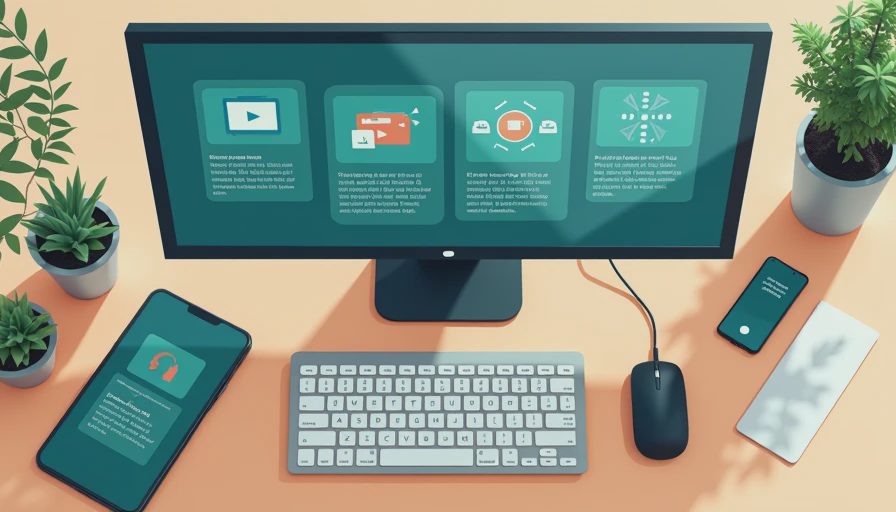
DeX can also run on an external monitor with certain Galaxy devices. Connect a tablet through a compatible USB-C hub, add a keyboard and mouse, and you can use the tablet screen for one task while the monitor handles another. That is a useful desk setup, but it is not identical to having a powerful Windows computer. Ports, display support, and app behavior depend on the device and accessories.
Samsung DeX worth it for work and school?
For writing, browsing, video calls, presentations, and basic spreadsheets, Samsung DeX is often worth the extra cost of a premium Galaxy tablet. The key is matching your workload to Android’s limits. Microsoft 365, Google Workspace, Slack, Zoom, and many common services work well enough for everyday use, though some tablet apps still look or behave like enlarged phone apps.
The biggest advantage is reduced friction. In regular tablet mode, you may bounce between recent apps and lose your place. In DeX, you can see more at once. A keyboard shortcut such as Alt-Tab feels familiar, and a real mouse makes selecting text or moving files much faster than repeated finger taps.
However, professionals should slow down before calling it a laptop replacement. If your work requires desktop-only accounting software, advanced Excel macros, full Adobe Premiere, specialized engineering tools, or multiple high-resolution monitors, DeX can become a workaround rather than a solution. Browser versions sometimes help, but they are not guaranteed to match Windows or macOS versions.
A useful test is simple: write down the five apps you use most. If four are browser-based or have solid Android versions, the setup has a good chance of working. If one mission-critical app only runs properly on Windows, keep a laptop in the plan.
Where DeX disappoints buyers
Many returns happen because shoppers buy the keyboard cover separately, see the total approach laptop money, and still expect a complete computer. Samsung’s Book Cover Keyboard can be comfortable and well integrated, but premium accessories can push the package hundreds of dollars higher. A cheaper Bluetooth keyboard works, although it may lack dedicated DeX keys and a sturdy tablet stand.
Performance also depends on the tablet, not merely the interface. A high-end Galaxy Tab with plenty of memory can manage several windows smoothly. A less powerful model may reload apps, pause when switching tasks, or feel cramped when several programs are open. DeX makes the layout look more like a computer; it does not add processor power.
App compatibility is another rough edge. Some Android apps refuse to resize properly, while others stretch awkwardly across a large window. Streaming services, games, and social apps are usually designed for touch first. You can work around some problems by using a browser, but that adds another compromise.
This is where the question “Samsung DeX worth it” needs an honest answer: DeX is a productivity feature, not a guarantee that every Android app becomes a desktop app.

Samsung DeX worth it compared with an iPad or Chromebook?
Against an iPad, DeX offers a more traditional windowed workspace. iPadOS has improved multitasking, but people who regularly move files, resize windows, and use a mouse often find DeX more immediately familiar. The iPad usually has the stronger tablet app ecosystem, accessories, and long-term appeal for creative apps, so the better choice depends on your routine rather than brand loyalty.
Against a Chromebook, DeX is more portable and can feel more flexible for Android apps. A Chromebook is generally the safer pick for browser-heavy schoolwork, long typing sessions, and users who want a straightforward laptop shape. It also avoids the extra keyboard-cover decision. DeX makes more sense when you want one device that remains an excellent touch tablet after the workday ends.
Price changes the calculation. A Galaxy Tab S9 FE or similar midrange model with a basic keyboard may cost less than a premium laptop, but it will not offer the same performance or software range. A high-end Galaxy Tab with an official keyboard can overlap with Windows laptop pricing. At that point, compare the total package, not just the tablet sale price.
My buying checklist before you commit
Start by deciding whether you need a tablet first or a computer first. If you want drawing, reading, streaming, handwritten notes, and occasional documents, DeX is a valuable bonus. If you need accounting, coding, desktop publishing, or demanding file management every day, buy a laptop first and treat a tablet as a second device.
Next, test your real accessories. Confirm that your USB-C hub supports the display resolution you want. Check whether your keyboard has a comfortable layout and a reliable trackpad. If you plan to use a monitor, verify that the tablet model supports your intended connection instead of assuming every USB-C port does the same thing.
Finally, use the return window intelligently. Spend an evening opening your actual work apps, printing a document, moving files from a USB drive, joining a video call, and typing for an hour. That practical test tells you more than a store demo.
Final verdict: is Samsung DeX worth it?
For the right buyer, Samsung DeX is one of the best reasons to choose a Galaxy tablet over a conventional Android tablet. It makes a large screen useful for real multitasking and gives keyboard users a familiar workspace without taking away touch controls.
But Samsung DeX worth it is not a universal yes. It is worth it for a student, home-office user, or tablet-first buyer whose work fits Android. It is less convincing for anyone expecting Windows software, desktop-class creative tools, or a cheaper version of a full laptop. I have seen what comes back: usually not a bad tablet, but a buyer who needed a computer and purchased an interface instead. Match the device to your five daily apps, price the keyboard, and DeX can be a smart purchase rather than an expensive experiment.

No comments yet — be the first to share a thought.