The samsung galaxy tab a9 is the kind of tablet that looks unremarkable on a product page and makes more sense after a week on the couch. It is small, affordable, easy to carry, and built for ordinary jobs: streaming, reading, email, school apps, recipes, and video calls. It is not a laptop replacement, a digital art powerhouse, or a gaming monster. That honesty is important because most tablet disappointment starts with buying an inexpensive device and expecting it to behave like a premium iPad.
I spent eight years selling tablets in a big-box electronics department, then processing the returns when the excitement wore off. I've seen what comes back. The common complaints are predictable: a screen that feels cramped, storage that fills quickly, sluggish multitasking, or a cheap tablet that becomes frustrating after the first update. The samsung galaxy tab a9 avoids some of those problems, but not all of them.
What the samsung galaxy tab a9 gets right
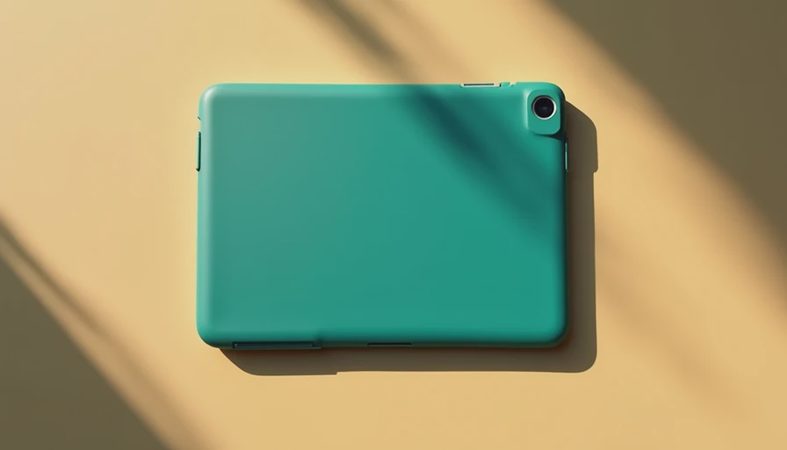
The first advantage is size. Its compact screen is comfortable for reading an ebook, checking a grocery list, watching a show in bed, or handing to a child in the back seat. It is noticeably easier to hold with one hand than a 10-inch tablet. A protective case adds bulk, but the basic shape still fits into a small bag without turning the bag into luggage.
The samsung galaxy tab a9 also has the right software environment for people already using Samsung phones. Quick Share, Samsung Notes, Galaxy Buds pairing, and familiar Android settings make the setup less intimidating. A parent can create a separate profile for a child, while a senior who already uses a Galaxy phone will not face an entirely new interface.
Performance is adequate rather than exciting. Menus open promptly, YouTube runs smoothly, and ordinary web pages do not feel painfully slow. The tablet can handle a few everyday apps, although switching repeatedly between a browser, video call, and document is where its budget hardware becomes obvious. This is a device for focused use, not for pretending a tablet is a desktop workstation.

The compromises you notice after buying it
The display is the biggest reminder that this is an entry-level model. Text is usable and video is enjoyable from a normal viewing distance, but the panel does not have the contrast, sharpness, or room of a premium tablet. Small spreadsheet cells feel crowded. A long PDF can require more zooming and scrolling than readers expect. For a child watching cartoons or a commuter reading news, that tradeoff is usually manageable.
Storage deserves attention before checkout. The samsung galaxy tab a9 can be sold in configurations that differ by market and retailer, so read the listing carefully rather than assuming every box has the same memory. If the tablet will hold downloaded Netflix shows, large games, photos, and school files, expandable storage through a microSD card can be useful. A card is good for media and documents, but it does not magically turn the tablet into a faster model.
Battery life is solid for light use, but claims based on ideal laboratory conditions are not the same as a real family afternoon. Streaming video, high brightness, Bluetooth headphones, and weak Wi-Fi all consume power. I would expect a normal user to get through a day of mixed use, but someone gaming for hours should keep a charger nearby. Charging is another area where a premium device feels more polished.
The samsung galaxy tab a9 is also not the right choice for serious drawing. You can use a compatible stylus or capacitive pen for tapping and basic notes, but buyers wanting pressure-sensitive illustration should look at a tablet designed around pen input. I learned this the hard way with an inexpensive tablet I bought for sketching: the return box was open before the weekend ended.
Who should buy this tablet
The best match is a person with a clear, modest use case. A student can use it for reading assignments, classroom portals, flashcards, and video lessons. A parent can keep it in the kitchen for recipes or use it for travel entertainment. A retiree may appreciate the straightforward interface, large touch targets, and lighter weight compared with a full-size laptop. The samsung galaxy tab a9 makes particular sense as a shared household screen when nobody needs heavy productivity.
It can also work well as a first tablet for a child, provided you add a rugged case and set parental controls immediately. My “Jonah test” involves leaving a review device with my seven-year-old for a full week, including the accidental drops and sticky fingerprints that product photos never show. A child who mostly watches approved videos and plays lightweight games will probably be satisfied. A child demanding console-quality gaming will not be.
Who should spend more
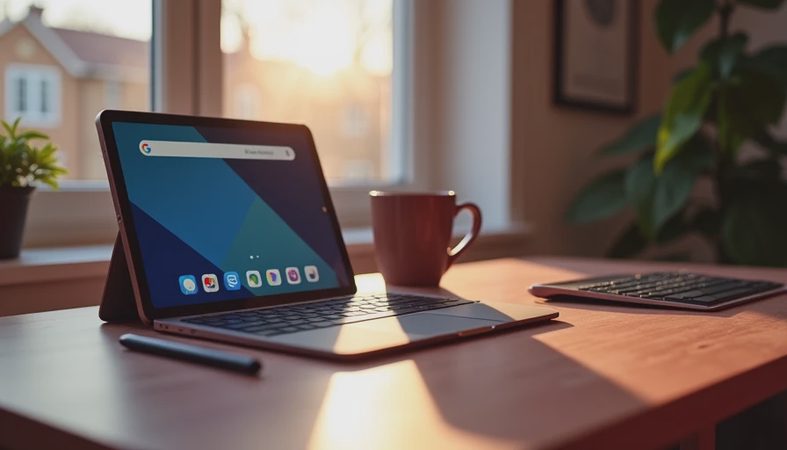
Do not choose the samsung galaxy tab a9 if your main task is editing large photos, drawing professionally, managing many browser tabs, or typing long papers every day. A detachable keyboard can make a tablet more useful, but accessories cannot erase a small display or entry-level processor. Someone replacing a laptop should compare a larger Galaxy Tab, an iPad, or a Chromebook before deciding.
Gamers should also be realistic. Casual titles and familiar mobile games are fine, while demanding 3D games can bring lower visual settings, warmth, and inconsistent frame rates. If smooth gaming is the priority, spending more on a faster tablet is usually cheaper than buying the wrong device twice.
The samsung galaxy tab a9 may be less attractive when its price gets too close to larger models. Retail promotions change frequently, and a discounted 10-inch tablet can offer more comfortable viewing for only a modest increase. Look at the final price with a case, charger, and memory card included. The cheapest sticker price is not always the lowest cost of ownership.

How I would buy the samsung galaxy tab a9
First, decide whether compact size or screen space matters more. Hold a phone-sized object in one hand and imagine reading a full page on it; that simple test helps explain whether the smaller format will feel convenient or cramped. Second, choose the storage version based on actual files, not an optimistic guess. Third, budget about $20 to $40 for a decent protective case, especially for a child or frequent traveler.
I would also buy from a retailer with a clear return window and test the tablet immediately. Install the apps you actually use, stream a movie for an hour, connect headphones, type a short email, read a PDF, and try the games that matter. Check whether the brightness is comfortable in your room and whether the available storage still feels sufficient after setup. This five-step check is more useful than watching another ten-minute unboxing video.
Final verdict
The samsung galaxy tab a9 is a sensible budget tablet when you want a compact Android screen for media, reading, communication, and light family use. It succeeds because it does not need to be spectacular to be useful. Its weak points are the small display, limited headroom for demanding apps, modest charging experience, and lack of serious pen capability.
I would recommend it at a clearly budget price, especially for a reader, traveler, child, or Samsung phone owner. I would not recommend stretching the budget for it when a larger tablet is close in price. Buy it for the job it can do, not for the premium tablet you hope it will become. That is how you avoid the return counter—and I have processed enough returns to know that is the part buyers remember.



No comments yet — be the first to share a thought.