If you are searching for amazon fire and kindle fire, you are probably looking at a product name that seems to describe two different tablets. The confusion is understandable. Amazon used to call its tablets Kindle Fire, then dropped “Kindle” and began using Amazon Fire. In most shopping conversations, those names refer to the same basic tablet family, but the age of the device matters more than the label.
I spent eight years working the tablet department at a big-box electronics store, and I have processed more tablet returns than most reviewers have published reviews. The most common mistake was not buying an Amazon tablet. It was buying an old one because the listing sounded familiar. Here is the practical explanation, without the sales-floor fog.
Amazon Fire and Kindle Fire are mostly a naming change
The original Kindle Fire launched as a small, inexpensive color tablet built around Amazon services. Later generations continued under the Kindle Fire name, including models such as the Kindle Fire HD and Kindle Fire HDX. Eventually, Amazon shortened the branding to Fire, giving us products such as the Fire HD 8, Fire HD 10, and Fire Max 11.
That means a listing titled Kindle Fire is usually an older model, while a listing titled Amazon Fire or Fire HD is more likely to be newer. It does not mean every Fire tablet is identical. Screen size, processor speed, storage, software support, cameras, charging ports, and included accessories can differ significantly between generations.
The name also gets used loosely by sellers on used marketplaces. Someone may call a 2013 Fire HD a Kindle Fire, even if the official product name was slightly different. Before buying, find the exact model year or generation in the specifications. A low price is not a bargain if the tablet cannot run the apps you need.
What Fire tablets are actually good at
Modern Fire tablets are strongest as affordable entertainment and household devices. They handle Prime Video, Netflix, Disney+, YouTube, Spotify, Kindle books, web browsing, email, recipes, and casual games comfortably. A Fire HD 10 is particularly pleasant for watching shows on the couch, while a Fire HD 8 is easier to hold one-handed and usually costs less.
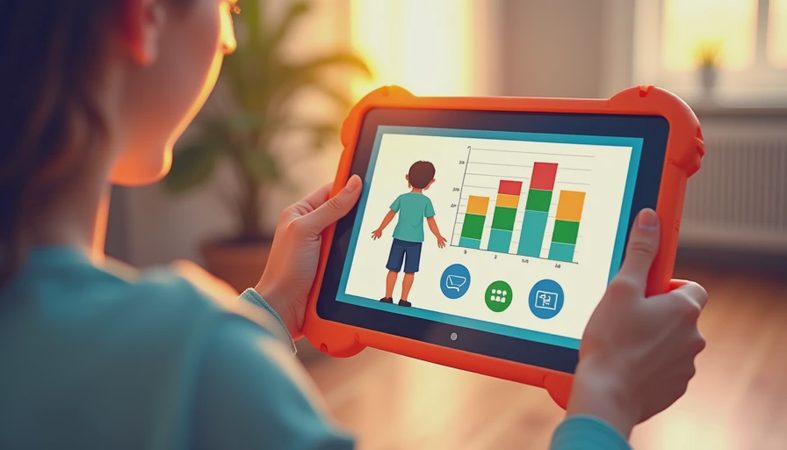
They also make practical kids’ tablets. With a protective case and parental controls, a Fire tablet can serve up cartoons, audiobooks, educational apps, and downloaded road-trip content without putting an expensive iPad in a child’s backpack. Amazon’s Kids models typically include a rugged case and a child-focused subscription offer, but compare the renewal cost before assuming the bundle remains free forever.
Where Fire tablets disappoint is productivity. You can write an email, edit a basic document, or join a video call, but the experience is not comparable to a laptop or a full iPad. The software is based on Fire OS, Amazon’s Android-based operating system, and it does not include Google Play Store access by default. Some popular apps are available through Amazon’s Appstore, but the selection is not as broad.
Choosing between old Kindle Fire models and newer Fire tablets
If you are comparing amazon fire and kindle fire listings, start with four questions: How old is it? What storage does it have? Which apps must it run? Does it use USB-C or an older charging connection? These details reveal more than the product name.
For reading novels, listening to audiobooks, and checking email, an older Kindle Fire can still be perfectly usable. A secondhand Fire HD 8 from a reputable seller might make sense at a modest price, especially for a guest room or kitchen counter. I would be cautious with very old units, however. Batteries age even when the tablet has spent most of its life in a drawer, and old software can make modern websites feel painfully slow.
For a primary family tablet, I generally favor a current Fire HD 10 over an old Kindle Fire HDX. The newer model may not feel premium, but it usually offers better app compatibility, a more current charging port, and a less frustrating setup. The Fire Max 11 is the more ambitious option, with a larger display and accessories aimed at light work, though its price deserves comparison with entry-level competitors.
Storage is another return-trigger. Sixteen gigabytes sounds reasonable until system files, downloaded video, photos, and games consume much of it. Choose more storage if several people will use the tablet, or plan to rely on streaming and a microSD card where supported.

The ads, accessories, and subscription details matter
Amazon often sells Fire tablets with lock-screen advertising at a lower price. These offers are not usually a hardware problem, but the ads can irritate someone who wants a clean bedside clock or a child’s distraction-free device. Look for the ad-free option or calculate the one-time removal charge before checkout.
Cases are not optional for family use. A basic case from Amazon, Spigen, or Fintie can cost roughly $15 to $40 and prevent the cracked-screen return I saw repeatedly at the store. A screen protector is useful, but a case with a raised edge and a stable stand does more practical work. If the tablet will travel, add a short USB-C cable and a reliable wall charger rather than assuming an older drawer charger is safe and compatible.
Do not confuse a Fire tablet with a Kindle e-reader. A Kindle Paperwhite uses an easy-on-the-eyes E Ink display designed primarily for books and has excellent battery life. A Fire tablet uses a bright color LCD screen designed for video, apps, web pages, and games. Someone who reads for hours outdoors may prefer a Kindle e-reader, while someone who wants movies and apps needs a Fire tablet.
A simple buying plan that avoids most regrets
When I evaluate amazon fire and kindle fire options, I use a short process. First, identify the exact model, not just the family name. Second, check the operating system and app requirements for every must-have service. Third, select enough storage for the number of users. Fourth, add the case and charger to the real price. Finally, buy from a seller with a clear return policy and test the tablet during the first few days.
Test streaming over Wi-Fi, Bluetooth headphones, the charging port, the camera, and the apps your household actually uses. Try typing a paragraph, loading several websites, and downloading a show. A tablet can look fine on a product page and feel slow within ten minutes of real use. That is the difference between reviewing specifications and living with the device.
A parent buying for a young child should also test parental controls before handing it over. A senior user should increase text size and confirm that video calling works with the chosen app. For a student, check whether the school platform requires Google services or a browser that Fire OS handles well.
My practical recommendation
The amazon fire and kindle fire debate is less about two competing brands than about old versus current hardware. If you find a recent Fire HD 8 or Fire HD 10 at a sensible price, it can be a strong value for streaming, reading, browsing, and family use. If you find an old Kindle Fire, buy only after checking its generation, battery condition, software compatibility, and return window.
I would skip any listing that hides the model year, uses vague phrases such as “latest Kindle Fire,” or appears dramatically cheaper than comparable listings. That is where buyers most often end up returning the tablet. Spend the saved money on storage and a protective case instead of chasing the lowest headline price.
The final answer to amazon fire and kindle fire is simple: Kindle Fire is the older branding, while Amazon Fire and Fire HD describe the newer direction. The right choice is the model that runs your apps, feels responsive in your hands, and still fits the budget after accessories. I have seen what comes back, and avoiding an obsolete bargain is usually the best savings strategy.

No comments yet — be the first to share a thought.