An e ink tablet is appealing for a simple reason: it promises a calmer screen. You can read, write, and review documents without the bright glow, buzzing notifications, or endless app distractions of an iPad. After eight years selling tablets and processing returns, I understand the attraction. I also know where the excitement wears off. I've seen what comes back.
The short version is this: an e ink tablet is excellent for focused reading and handwriting, but it is not a universal tablet replacement. If you expect colorful video, fast web browsing, or polished social apps, you will probably be disappointed. If your goal is a digital notebook that feels quiet and deliberate, the right model can be satisfying for years.
What an e ink tablet does better than an iPad
The biggest advantage is the display. E Ink reflects ambient light instead of shining light directly into your eyes, so pages look more like printed paper. Many models include a front light for evening reading, but the screen still feels less aggressive than an LCD or OLED panel. That difference matters during long reading sessions, especially for novels, PDFs, and work documents.
Battery life is another genuine strength. Depending on lighting, writing, wireless use, and software, an e ink tablet can run for days or weeks between charges. An iPad might need charging every few days with regular use; an E Ink model often disappears into a bag and remains ready when you need it.
Writing is also more focused. On a reMarkable 2, Kindle Scribe, or comparable Boox device, opening a notebook does not put email, games, and video one tap away. The slower refresh rate that frustrates people in a browser becomes useful when the purpose is taking notes. You write, turn the page, and continue.
An e ink tablet can also be easier to use outdoors. Poolside glare, a sunny patio, or a bright airport window can make a glossy tablet annoying. A matte paper-like display usually remains comfortable in those conditions, although shadows and poor lighting can still affect readability.

The trade-offs buyers discover after two weeks
Here is where return-counter experience matters. Most people do not return these devices because the screen is bad. They return them because they bought the wrong category of product. An e ink tablet is intentionally slow. Page turns can flash, scrolling may look rough, and a website designed for a phone can feel almost unusable.
Color is limited or absent on many models. A black-and-white comic, textbook diagram, or PDF with highlighted charts may lose useful information. Even color E Ink screens generally look muted compared with a standard tablet. That is fine for a calendar or a simple illustration, but it is not a substitute for a bright display when color accuracy matters.
The app situation varies widely. Kindle Scribe is tightly connected to Amazon's reading ecosystem, while reMarkable emphasizes notes and document workflows. Boox models usually offer broader Android app access, which sounds ideal until an app behaves poorly on an E Ink display. Netflix, fast games, video calls, and animation-heavy websites are not what these products do best.
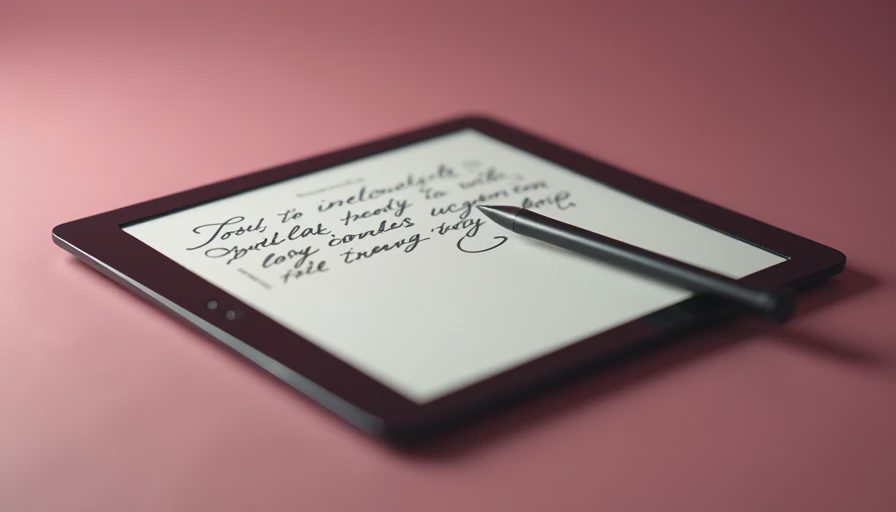
Stylus performance is good enough for notes, lists, signatures, and rough sketches, but do not assume every pen experience matches an Apple Pencil. Some pens require charging, some do not. Replacement tips, cases, keyboard covers, and premium cloud services can add $50 to $200 to the purchase.
Which type of e ink tablet fits your routine?
For reading and occasional notes, the Kindle Scribe is the straightforward choice. It offers a large screen, strong Kindle integration, and a familiar buying experience. It makes the most sense for someone who already buys Kindle books and wants a larger page for PDFs or handwritten annotations. Its limitations become clear if you want a flexible general-purpose computer.
For distraction-free handwriting, reMarkable remains compelling. The software is clean, the hardware feels purpose-built, and the writing experience is one of the closest digital alternatives to a paper notebook. Its narrower feature set is not an accident. That simplicity is the product. You should not buy it expecting a full app store.
For Android flexibility, Boox is usually the more ambitious option. Models such as the Note Air line can handle reading apps, note-taking, and more document formats. The trade-off is that menus and settings can feel less polished than those on Kindle or reMarkable. You get more control, but you may spend more time configuring the device.
For a student or office worker, screen size matters more than a small processor difference. A 10-inch or larger panel is much more useful for letter-size PDFs than a compact reader. For a child, however, the bigger device may be awkward and expensive. My Jonah test is simple: if a seven-year-old cannot understand the basic gesture within a few minutes, the product is not automatically bad, but it is less family-friendly than the listing suggests.
A practical buying checklist before you order
Start with your main task, not the brand. Write down whether you will read novels, mark up PDFs, take meeting notes, draw, or use Android apps. If reading novels is 80 percent of the plan, paying $500 for a feature-heavy e ink tablet may be wasteful. A smaller Kindle or basic reader could do the job for far less.
Next, test the file workflow. A device can support PDF files while still making transfers, folders, or annotations frustrating. Look at how documents arrive on the tablet, where notes are stored, and whether exported files preserve your handwriting. For work documents, confirm that your preferred cloud service is supported before buying.
Then budget for the complete setup. A $339 device can become a $430 purchase after adding a folio and stylus. A $399 model with a pen included may be the better deal. Also check return rules, because dead pixels, uneven front lighting, uncomfortable writing texture, and weak software are difficult to judge from a product page.
Finally, decide whether you need cellular service. Most buyers do not. Wi-Fi is enough for home, school, and office use, and your phone can provide a hotspot when necessary. Avoid paying monthly data costs for a feature that will spend most of its life unused.
My honest e ink tablet recommendation
I would buy an e ink tablet for a reader who wants a large, quiet screen or a professional who takes substantial handwritten notes. I would not buy one for a person who mainly watches YouTube, edits photos, plays games, or expects every phone app to work normally. Those buyers should consider an iPad, Samsung Galaxy Tab, or a less expensive Android tablet instead.
My safest general advice is to choose Kindle Scribe for reading-first use, reMarkable for writing-first use, and Boox when app flexibility is genuinely important. Do not pay extra for specifications you will never use. The best purchase is the one that matches your daily habit, not the one with the longest feature list.
Before checkout, picture an ordinary Tuesday rather than an idealized weekend. Will you reach for it after dinner? Will the case fit in your bag? Can you move notes where they need to go? If the answers are clear, an e ink tablet can be a remarkably peaceful tool. If you are hoping it will replace every screen in your life, the return counter may see you in two weeks.

No comments yet — be the first to share a thought.