The best e ink tablets are not necessarily the ones with the longest feature list or the highest price. They are the models you still reach for after the novelty wears off. I spent eight years selling tablets in a big-box electronics department, and I have processed more tablet returns than most reviewers have published reviews. I've seen what comes back: expensive devices bought for the wrong job, note-taking tablets that feel awkward after a week, and readers that cannot handle a customer's actual library.
That return-data perspective matters here. E ink tablets are specialized products. They are excellent for focused reading, handwriting, and long battery life, but they are usually poor replacements for an iPad, Galaxy Tab, or Windows laptop. Before you spend $300 to $700, match the screen, software, pen, and file support to the way you really work.
What makes the best e ink tablets different?
An e ink screen reflects light instead of shining it directly into your eyes like an LCD or OLED panel. That gives it a paper-like appearance, excellent outdoor visibility, and much less visual distraction. It also means slower page turns, limited color, and a display that is not designed for fast video or animation.
For reading novels and documents, that tradeoff is usually worthwhile. A Kindle Scribe has a comfortable 10.2-inch screen and integrates tightly with Kindle books. Its pen is useful for handwritten notes and annotations, but the device is still fundamentally a reading-first product. If you mainly want library books, novels, and PDFs, this straightforward approach is easier to live with than a more complicated Android-based tablet.
The reMarkable 2 takes the opposite approach. It feels like a digital notebook, with a thin design, a low-distraction interface, and handwriting that feels close to pencil on paper. It is a good fit for meeting notes, planning, and sketching. The catch is that it has fewer general-purpose apps, and you need to understand its cloud features before assuming it will replace every paper workflow.
BOOX models are the Swiss Army knives of this category. Devices such as the Note Air series run Android and can access Kindle, Kobo, Libby, OneNote, and other apps. That flexibility is valuable, but Android on e ink requires more patience. Some apps scroll poorly, menus can feel unfinished, and refresh settings sometimes need manual adjustment.
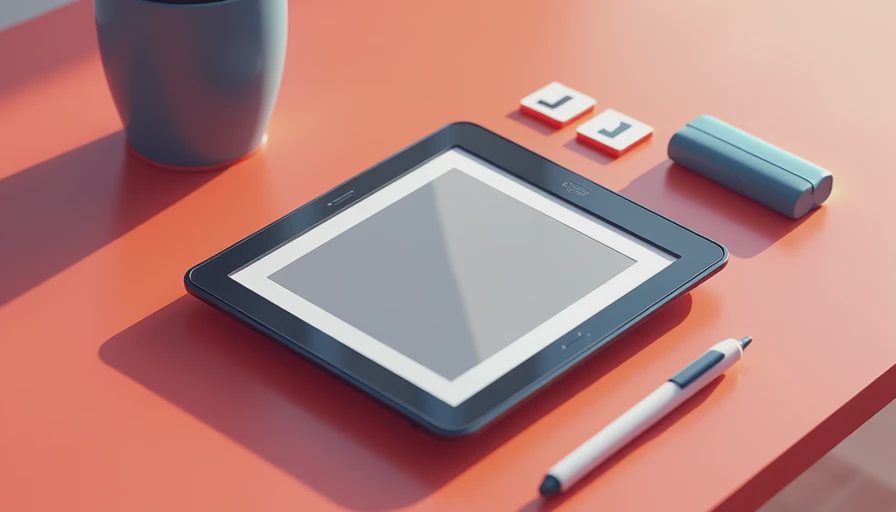
Choosing between Kindle Scribe, reMarkable, BOOX, and Supernote
The best e ink tablets become easier to compare when you stop asking which brand is best and ask what you will do on Monday morning.
For reading first, the Kindle Scribe is the safest recommendation. It has the strongest bookstore ecosystem of the group, simple syncing, and a familiar interface. It is less convincing as a full notebook because its organization and writing tools are not as deep as dedicated note platforms. Amazon's frequent sale pricing can also make it more attractive than its list price suggests.
For handwritten notes first, consider the reMarkable 2 or Supernote Nomad. reMarkable has the cleaner, more focused writing experience, while Supernote is known for flexible organization and a replaceable pen approach. The smaller Supernote Nomad is highly portable, but its compact page can feel cramped for people who write large or annotate wide PDFs.
For mixed reading, research, and app use, BOOX is often the most capable choice. A Note Air-sized model gives you room for PDFs, split-screen tasks, and handwritten markup. Just budget time for setup. The person who enjoys adjusting refresh modes and installing apps will probably be happy; the person who wants everything to work like a Kindle may return it.
What buyers usually regret after two weeks
The most common mistake is confusing reduced distraction with universal compatibility. An e ink tablet can help you stop checking social media, but it cannot magically make every website pleasant to browse. A student may love writing lecture notes on a Supernote, then discover that a required textbook platform depends on video, color diagrams, or interactive quizzes.
File handling is another source of returns. EPUB files are generally comfortable on reading-focused devices, while complex PDFs can expose major differences. A scanned textbook may need optical character recognition before searching works. A large engineering document may be too slow to navigate on a smaller screen. Test your actual files during the return period instead of relying on a store demo.
Pen cost also surprises people. Some models include a stylus, while others require a separate purchase that can add $50 to $130. Replacement nibs, cases, and premium covers can push a seemingly affordable setup beyond $500. Add those items before comparing prices.
Battery life is usually strong, but front lights, Wi-Fi, Bluetooth, frequent page refreshes, and app use all consume power. Expect weeks from a basic reader under light use, not an unlimited battery. Large writing tablets used daily may need charging every several days to a couple of weeks.

My practical buying checklist
Start with the content you already use. If your library is mostly Kindle books, Kobo books, or Libby loans, check compatibility before comparing handwriting features. A beautiful notebook is not a good purchase if your main goal is borrowing ebooks.
Next, choose the screen size. Seven to eight inches is easier to hold in one hand and works well for novels. Around 10 inches is better for PDFs, music sheets, academic pages, and serious notes. Larger screens improve page layout but add weight and cost. I would not buy a 10-inch model for a child simply because the display looks impressive in a product photo.
Then test the writing experience. Look for pen latency, palm rejection, line control, eraser behavior, and how easily you can find old notebooks. A tablet that feels wonderful for five minutes can become irritating when every file requires multiple taps.
Finally, check return terms and accessories. Keep the box, test your preferred books, import three real documents, write for at least 30 minutes, and try the device in bright sunlight and a dim room. This process catches more problems than another hour of reading spec sheets.
Which of the best e ink tablets should you buy?
The best e ink tablets for most readers fall into clear lanes. Choose Kindle Scribe for a simple reading and annotation combination. Choose reMarkable 2 when distraction-free handwriting is the priority. Choose Supernote when notebook organization and a focused writing workflow matter most. Choose BOOX when you need Android apps, multiple reading services, and greater flexibility.
I would skip an e ink tablet entirely if you need color-heavy textbooks, streaming video, fast web browsing, or mainstream games. A $250 Android tablet with an LCD screen will serve those needs better, even if its battery and eye comfort are not comparable.
For everyone else, the smart purchase is the model that removes friction from one specific routine. Write a few pages, read your real books, and open the files you actually need. The best e ink tablets are not impressive because they do everything. They are useful because they make one quiet, repeatable task feel easier every day.


No comments yet — be the first to share a thought.