When people ask me about best tablets, I start with a simple question: what will you actually do on it after the new-toy feeling wears off? I’ve seen what comes back. The pretty one with the big screen gets returned because it is too heavy for bedtime reading. The budget pick gets returned because storage fills up fast. The “deal” with a keyboard case gets returned because the whole setup costs more than the buyer expected. After eight years on the tablet wall, I learned that the real winner is the one you still like on week two.
A tablet should feel easy. It should wake up fast, hold a charge long enough for a flight or a school day, and not make you hunt through menus just to open a video call. I do not call something one of the best tablets just because the benchmark chart looks good. I call it good when a parent can hand it to a kid, a student can carry it across campus, or a tired adult can use it on the couch without thinking about it.
How I judge the best tablets after the spec sheet noise
The first thing I look at is the screen, but not in the way gadget forums do. Brightness matters more than raw resolution once you leave a dark room. A sharp panel that washes out in sunlight gets old fast. I also look at weight, because a tablet that feels fine in a store can become a hand-cramp machine after twenty minutes. That is one reason some shoppers return larger iPads and big Galaxy Tabs even when they love the display.
Storage is the next trap. Sixty-four gigabytes can work for a light user, but it is easy to outgrow once you download a few streaming shows, games, and school apps. I like 128GB as a safer starting point, or a microSD slot on Android if you know you will stash movies and photos. Battery life should cover a normal day without panic charging. And if you plan to type, budget for a real keyboard case, not the flimsy one that makes every email feel like homework.
The models that solve the most common problems
For a straight everyday buy, the iPad base model keeps winning because the app support is still excellent and the resale value is solid. That matters when you are the person who upgrades every few years. The Samsung Galaxy Tab A9+ is the kind of Android tablet I point to when someone wants a bigger screen without paying flagship money. It is good for streaming, web browsing, and school work, and it usually avoids the weird friction that sends cheap no-name tablets back in a week.
Amazon Fire tablets are a different story. They make sense for reading, basic video, and kids’ use, especially when the price drops into the double digits during a sale. I have also seen plenty of them returned by buyers who expected a full Android experience and discovered Amazon’s app ecosystem first. That is not a bad product; it is just the wrong product for the wrong shopper. The same goes for Lenovo’s midrange tablets. They can be a smart value if you know what you want, but they are not the answer if you are chasing a premium feel.
The best tablets for families and students
This is where the story gets practical. Families usually need durability, simple controls, and enough speed that nobody starts yelling at the screen. Students need note-taking support, multitasking, and a battery that makes it through class plus the coffee shop run after. The best tablets in this lane are the ones that do not create a support call every other day.
If the tablet will be shared, I lean toward an iPad or a Samsung Galaxy Tab because both have strong accessories and familiar interfaces. An iPad with 128GB gives a student room for apps, PDFs, and downloaded lectures, and the app library still beats most rivals. Samsung’s better Android tablets are strong when someone wants split-screen work, a microSD slot, and a less locked-down feel. A family that wants one device for streaming, homework, and travel can do very well with either.
My Jonah test is simple: if a seven-year-old can use it for a week without me wanting to throw it in a drawer, it is at least family-safe. The tablets that fail usually have bad parental controls, tiny storage, or a laggy interface that makes even YouTube feel like a chore. That is the stuff shoppers notice after the return window, not in the first ten minutes.
Where budget tablets save money and where they cost you later
A cheap tablet can be a great buy when the job is narrow. If all you need is Netflix, Kindle, email, and a weather app, you do not need a flagship. The problem starts when a bargain tablet tries to act like a laptop, a gaming device, and a school machine all at once. That is when the cracks show up: weak speakers, slow app switching, cramped storage, and a charger that feels like it belongs to a toy.
I see the most regret from shoppers who spend about $100 to $180 and assume they are buying long-term peace of mind. Sometimes they are. More often, they are renting a short-term solution. If you are buying for a young kid, an Amazon Fire tablet with a sturdy case can be smart. If you are buying for an adult who wants to keep the device for three years, I would stretch closer to the $250 to $400 range and get something with better build quality, better software support, and fewer annoyances.
The best tablets worth paying more for
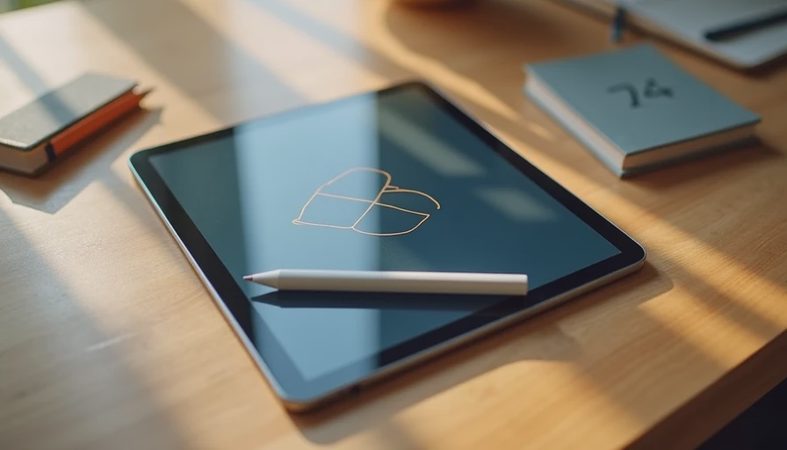
When the budget opens up, the conversation changes. The iPad Air is the easy recommendation for people who want a faster chip, better accessory support, and a smoother long-term feel without jumping all the way to Pro pricing. If you draw, annotate PDFs, edit photos, or just want a tablet that still feels current years later, it makes sense. Samsung’s upper-tier Galaxy Tabs are the Android answer for buyers who want a great screen, DeX-style multitasking, and a more laptop-like setup at a desk.
I also tell people not to buy a Surface unless they truly need Windows apps on a tablet-shaped device. It can be a good machine, but it is not the lazy couch tablet most shoppers imagine. That mismatch is one of the most common reasons I saw returns. People wanted an iPad experience and got a small laptop instead.
If you want the short version, these are the best tablets for most shoppers: an iPad if you want the safest all-around buy, a Samsung Galaxy Tab if you want Android flexibility, or an Amazon Fire tablet if your goal is cheap streaming and reading. That is the same advice I would give across the counter, because I’ve seen what comes back.
No comments yet — be the first to share a thought.